Forms play a critical role in how businesses operate and grow. According to WPForms1, nearly 50% of marketers say web forms are their most effective lead generation tool. Yet studies show alarmingly high abandonment rates: 75% for application forms and over 80% for payment forms2. For businesses, converting more form submissions is essential to driving results.
Form performance depends on many factors, including usability, user experience, and the data fields available. This is exactly where Gravity Forms comes in. A premium WordPress form builder used by over 640,000 active websites3, Gravity Forms gives you everything you need to create, customize, and automate your web forms. In this guide, discover how to maximize your results with Gravity Forms and no-code automation.
What is Gravity Forms?
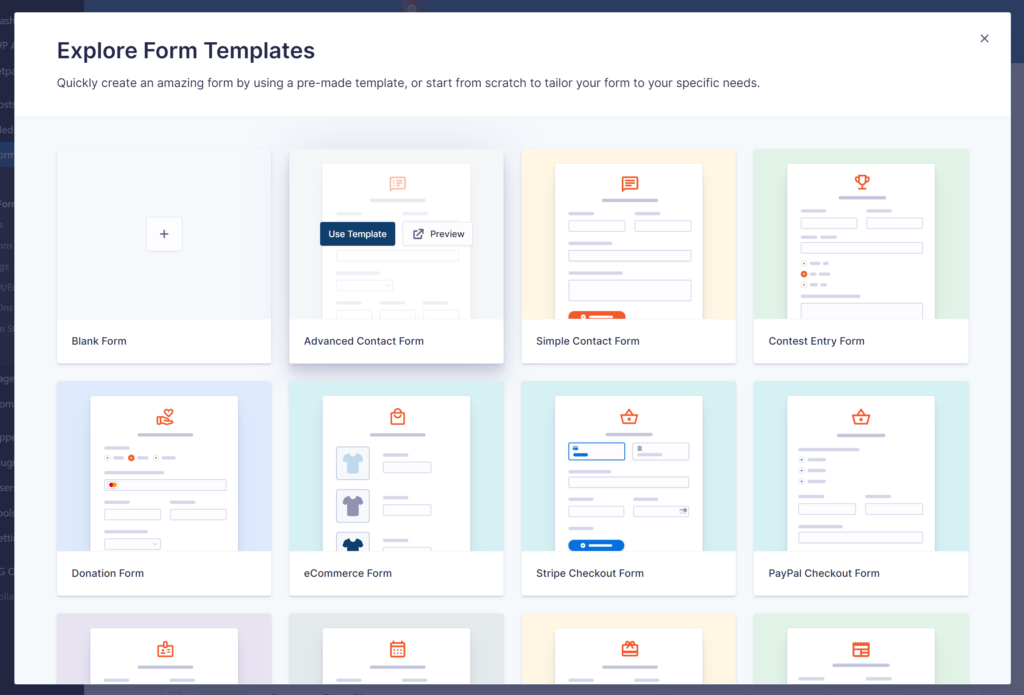
Gravity Forms is a leading form builder in the WordPress ecosystem. The plugin features a simple, intuitive drag-and-drop interface. With an 8.7% market share4, Gravity Forms is the third most popular form builder on the web. It positions itself as a solution for businesses that need reliable, robust forms.
From simple to sophisticated forms, the tool helps you from creation to managing submissions. You also get automation capabilities directly in your WordPress admin panel. Gravity Forms is recognized and widely used for its many features, including conditional logic, multi-step forms, a wide variety of data fields, and much more.
What also makes Gravity Forms powerful is its vast ecosystem of extensions and integration modules. You have access to Add-Ons for integrating online payment methods, CRM tools, email marketing platforms, accounting software, and workflow automation.
There’s also a large community around the plugin, including certified developers and recognized partners like WP connect. This makes it easy to find help and connect with experts who can support your business’s specific needs. Gravity Forms handles basic business requirements well and remains the best choice for expanding capabilities as your business needs evolve.
Connect Gravity Forms to Airtable without coding
Transform your web form submissions into organized, actionable data with Airtable, the flexible platform for databases, project management, and collaboration.
What makes Gravity Forms a powerful WordPress form builder?
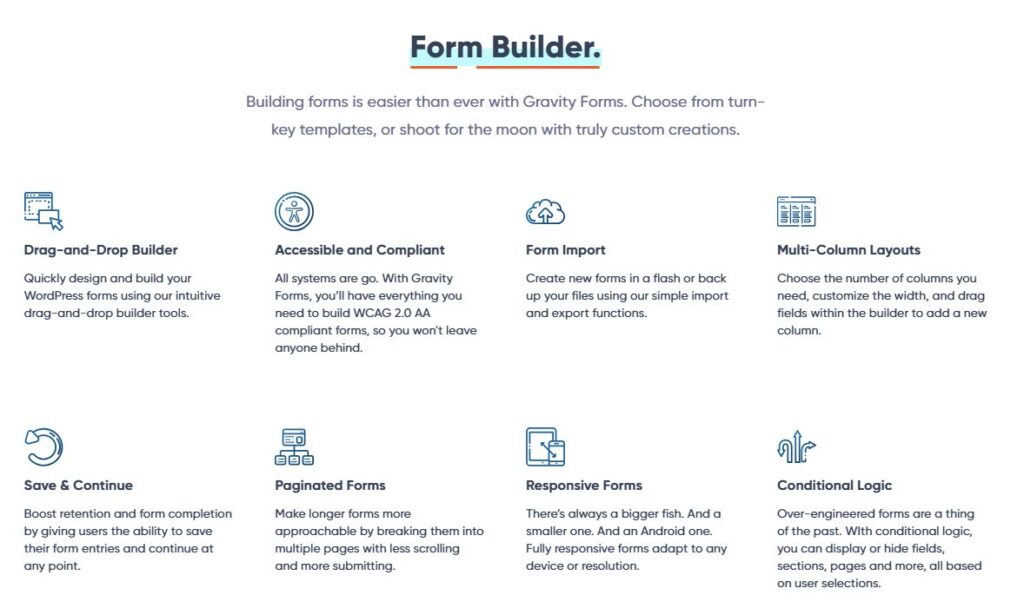
The strength of a form builder lies largely in the scope of its features. Here’s a brief overview of Gravity Forms’ key capabilities.
Intuitive drag-drop form builder and advanced fields
Gravity Forms is known for its visual editor: simple yet robust. You can create your forms, even the most sophisticated ones, without any technical constraints. Adding and organizing your fields is made easy and intuitive with drag-and-drop. You have plenty of options to customize your forms: column layouts, branding colors, required or optional fields, and more.
Gravity Forms also includes dozens of data fields, from simple to advanced: text, dropdown, captcha, multiple select, date and time, quiz, digital signature, files, discount code, payment, GDPR compliance, and more. Depending on the field type, you have specific settings to manage your constraints and better control your data quality.
Conditional logic
Forms become dynamic thanks to conditional rules. For example, hide or display certain fields depending on the user’s responses. This customization improves completion rates and the user experience.
Conditional logic helps you better design your form experience to meet your business needs. For example, for a service request, display prices only when the user selects their preferred service type. Conditional logic is also very useful for automating based on your form responses.
Multi-page forms
According to Formstory, form length contributes to 27% of abandonments5. Splitting complex forms across multiple pages helps reduce this rate. Users see one manageable section at a time with progress indicators showing completion status.
You get the idea: Gravity Forms makes it simple to create multi-page forms. You can add “Previous” and “Next” buttons to facilitate navigation. Partial progress saving allows users to return and complete forms later. This improves completion rates for your business.
Payment integration
Gravity Forms integrates leading payment methods like PayPal, Stripe, or Square for your online transactions. Beyond one-time purchases, you can configure recurring subscriptions or conditional pricing. You benefit from a secure solution and PCI compliance.
Anti-spam protection and email notifications
Gravity Forms offers numerous features to fight spam and keep your form data clean. With honeypot fields or Akismet integration, you can block bots. You can also integrate Google CAPTCHA to add extra layers of verification and protection.
To facilitate tracking and processing your forms, it’s very easy to set up email notifications with the Gravity Forms plugin. You can configure separate notifications for users and administrators with personalized information for each submission.
WordPress integrations to streamline your Gravity Forms entries
Gravity Forms’ power multiplies through its integration possibilities. You move from simple data collection to business data automation that optimizes your processes. Let’s look at some integrations to boost your activities with Gravity Forms.
Sync Gravity Forms with database tools
Centralizing Gravity Forms submissions in a database simplifies processing and management. What could be simpler than an Airtable table or Google Sheet for smooth team collaboration? Our Gravity Forms to Airtable Add-On syncs all your Gravity Forms entries with an Airtable table.
Transferring your web data to Airtable also gives you all the automation possibilities of this revolutionary platform. You can trigger workflows involving multiple tools from a form submission on your website. Combined with conditional logic, you can trigger automations only based on specific criteria, for example.
Connect Gravity Forms to marketing platforms
As we saw at the beginning of this article, forms play an important role in lead generation. To fully leverage this asset, what better than integrating data collected through your web forms with your marketing platforms?
Whether it’s an email tool or a CRM, many Gravity Forms Add-Ons are available to facilitate integration. At WP connect, we have several modules you can use to:
- Connect Gravity Forms to Brevo
- Sync your Gravity Forms entries to SendGrid
- Transfer your Gravity Forms data to your Airtable CRM
- Integrate Gravity Forms with Notion
When the integration is set up, each new submission creates a record or updates existing information in the destination tool. Integration eliminates the need to export and import CSV files, giving you more time and productivity gains.
Integrate Gravity Forms with business Apps
Beyond marketing tools and databases, you can absolutely connect Gravity Forms to your internal tools. Gravity Forms connects to hundreds of business solutions through dedicated modules. For example, WP connect’s Gravity Forms to Odoo Add-On bridges WordPress with the Odoo platform. Other modules in the Gravity Forms directory cover OpenAI, HubSpot, Slack, and beyond.
Note that you can also create your own sync flows using webhooks, the Gravity Forms API, or automation platforms like Zapier or Make. Finally, you can count on the expert community and no-code agencies like WP connect to create a custom solution for your specific needs.
5 Tips to maximize Gravity Forms for your business
Personalize with conditional logic
While it may seem obvious, many web forms still don’t use conditional logic. Yet it can significantly shorten forms, improving user experience and completion rates.
Only ask for information that’s truly useful to your business. Based on your business constraints, you can apply rules to filter and adapt the journey. For example, based on a prospect’s budget, you can offer them a direct appointment booking. This way, you can process priority requests faster.
Generally, it’s recommended to start with simple questions, then progressively move toward more specific questions at the end of the form.
Automate workflows with Gravity Forms integrations
Automation offers many benefits, including productivity, time savings, and improved data quality. Manually moving, (importing and exporting) your data between systems takes more time and can also alter information. Implement integrations to automate these transfers. For example, you can systematically sync lead generation forms to your CRM. Depending on your tools, you can complete this flow with:
- Sending a notification to your teams
- Creating a task for prospect follow-up, or
- Sending an automated email
Note that there are truly no limits to the processes you can automate from your Gravity Forms submissions.
Connect Gravity Forms to Notion in minutes without coding
Unlock the full potential of your web form data by syncing Gravity Forms with Notion, the all-in-one workspace for notes, databases, and project management.
Leverage user registration for memberships
If your site has a membership feature, nothing is simpler than automating account creation. And Gravity Forms has everything you need to do it right. Based on user responses (subscription type, payment, role), you can create an account, assign a specific role, and control content access.
Combined with conditional logic, this approach easily manages different membership levels (free, premium, etc.) without complex development. The registration journey becomes more fluid and adaptive: a free user doesn’t have the same journey or rights as a paying member. And you save more time through automation.
Set up smart notifications with Gravity Forms
Notification management can quickly become a nightmare if not properly configured from the start. Based on form fields, you can route notifications to the appropriate people for each submission. Technical questions go to IT. Sales inquiries to sales teams. Billing issues to finance.
As simple as it sounds, it reduces follow-up steps and improves your team’s proactivity. You can drastically reduce internal emails and client request processing time through well-configured notifications.
Monitor & optimize forms performance
A form shouldn’t just work; it should convert. By analyzing submissions and completion rates, you can identify and fix friction points. Analyzing partial entries helps spot blocking fields.
Make your forms shorter if needed to gain clarity and efficiency. For multi-page forms, identify steps where users abandon to improve the journey. Don’t forget to test layout and fluidity on mobile as well.
Final thoughts
Gravity Forms is an excellent plugin you can use to create multi-page forms, surveys, contact forms, quizzes, or even collect online payments. The plugin has a vast Add-Ons ecosystem and an expert community that opens up numerous integration possibilities.
As a no-code expert and WordPress development specialist, WP connect offers several Gravity Forms integrations you can use to boost your business activities.
Sources :