You gave us 4.86 on wp.org
Send WPForms entries to Notion.
Straight into your workspace.
- Version 1.4.2
- Since 2022
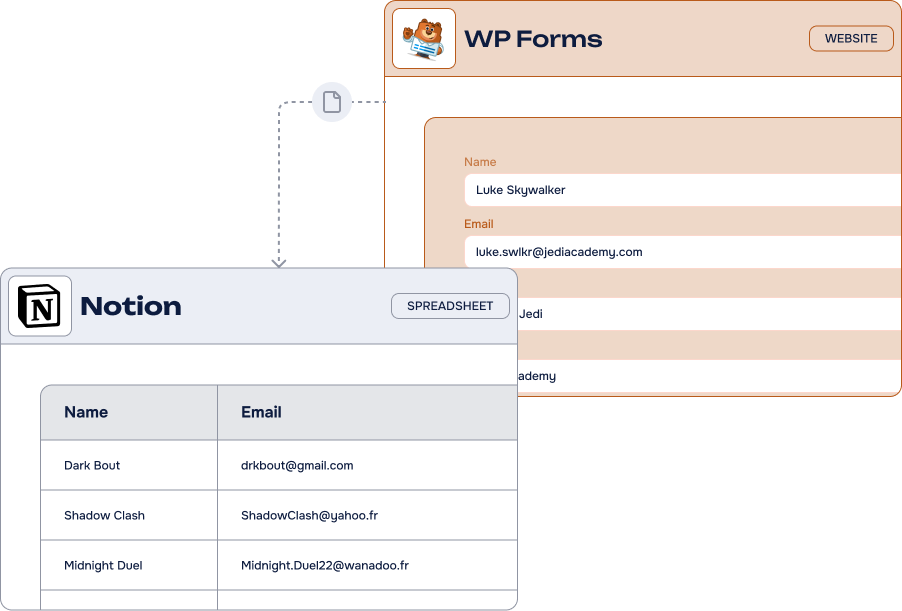
The WPForms to Notion Add-On pushes every form submission into your Notion databases — properties mapped one to one, conditional logic, no Zapier. Everything happens in your WordPress admin.
14-day Money Back Guarantee
Key features
-
Unlimited
feedsCreate as many Notion feeds as you need, on as many WPForms forms as you like
-
Easy fields mapping
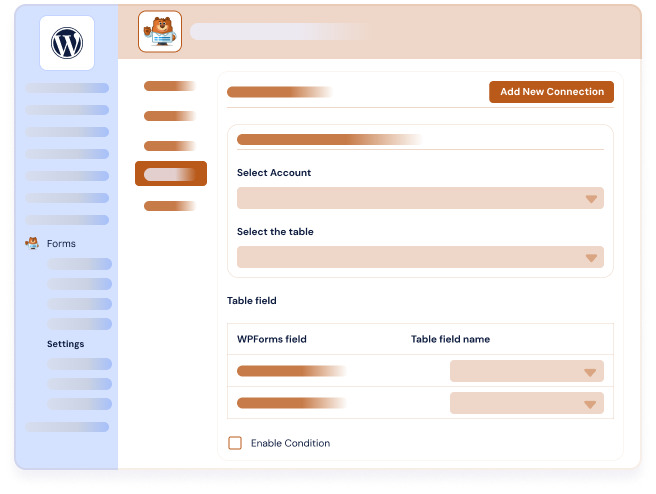
Match every WPForms field with its Notion database property in a few clicks
-
Advanced Notion properties
Text, title, email, phone, dropdown, checkboxes, multiple select, numbers, date/time, URL and more
-
Conditional filters & actions
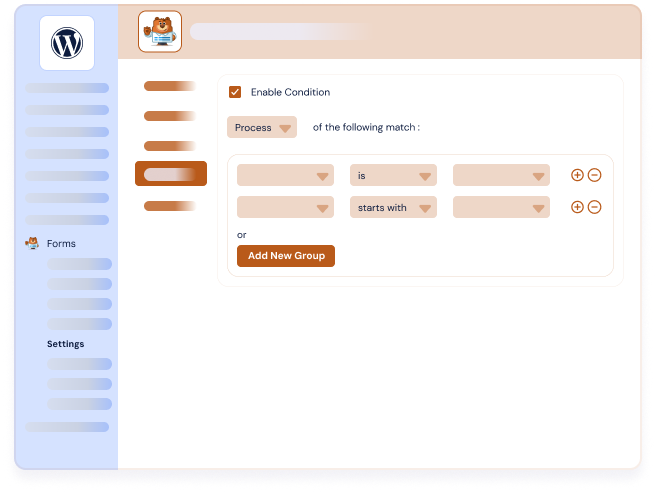
Only the entries that meet your conditions are sent to your Notion database
-
Datas created instantly
A new data appears in your Notion database the moment the form is submitted
-
Several databases
Send each form — or each feed — to the Notion database that matters
-
No third-party platform
A direct Notion API connection, without n8n, Zapier or Make in the middle
-
Basic, Plus and Pro
Compatible with the Basic, Plus and Pro versions of WPForms
It’s easy to connect WPForms and Notion using our Add-On
What can you do with the WPForms to Notion Add-On?
Our WPForms integrations transform how teams manage web form data inside their digital workspace. Your WordPress forms become productivity tools that feed directly into the collaborative environment your team already uses every day.
-
Project management
Automatically sync WPForms submissions to Notion project databases. Organize client requests, feedback and requirements in structured project pages.
-
Knowledge base
Collect support requests and FAQ submissions through WPForms, and build comprehensive help documentation in your Notion knowledge center.
-
Task management
Convert form submissions into actionable tasks and collaborate with your team. Track progress and assign work items through Notion workflows.
-
Event management
Streamline event registrations and attendee collection. Manage event planning and participant tracking in organized Notion databases.
-
Data management
Automate data workflows from web forms to Notion databases and pages. Reduce manual processes and keep business data in one centralized workspace.
WPForms to Notion: incredible features, fair pricing
Most popular
Pro plan
$50.00 /year
$150.00 /year
$200.00 /year
All Features you need
- Included: Unlimited feeds on unlimited forms
- Included: Full fields mapping with Notion properties
- Included: Advanced Notion fields support
- Included: Conditional filters & actions
- Included: Compatible with the Basic, Plus and Pro versions of WPForms
- Included: One year of updates & priority support
-
Contact us
You need a special plan, integration services or custom development? We are here for you!
-
Guarantee
14-Day Money Back Guarantee
-
Switch your plan
Change your plan at anytime
Frequently Asked Questions
Find answers to the most common questions about the WPForms to Notion Add-On — from setup and field mapping to licensing and support.
What is Notion?
Notion is a powerful all-in-one digital workspace that claims 20 million users worldwide. This versatile platform combines various collaborative tools including note-taking, task management, project management, file storage and sharing capabilities. The platform offers different views like table, kanban, calendar, timeline and much more.
What makes Notion special is its flexibility and no-code approach. You can create custom workflows, build databases, organize information, and collaborate with teams effectively, all within one interface. Anyone can create sophisticated organizational systems without technical skills.
From startups to large enterprises, the platform serves as a central hub for productivity and information management.
Which version of WPForms do I need ?
Our WPForms Add-On is compatible with the Basic, Plus, and Pro versions of WPForms.
How to connect WPForms to Notion?
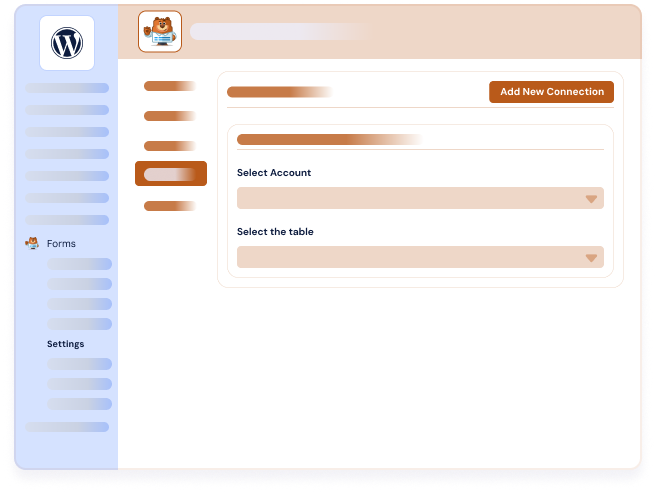
Connecting WPForms to Notion is straightforward with our Add-On. To use our WPForms to Notion Add-On, follow these step-by-step instructions.
- Create a form with at least an e-mail field (don’t forget the consent field)
- Go to Marketing section and select Notion, then click on “Add new” button to create a new feed
- Choose the Notion databases in which the data should be added
- Map the fields of your WPForms with your Notion database properties. Set the exact name of your database columns
- Activate conditional logic if needed
- Click on “Save settings.”
For detailed setup instructions with screenshots and advanced configuration options, check our complete WPForms to Notion documentation.
Which fields does WPForms Notion Add-On support?
Our WPForms to Notion Add-On supports all major field types to ensure seamless data transfer from your WPForms. Supported fields include Text, Title, Email, Phone, Dropdown, Checkboxes, Multiple Select, Numbers, Date/Time, URL field, and much more.
We provide detailed WPForms to Notion documentation with a comprehensive table of supported fields and possible mappings. This field mapping ensures that your form data transfers accurately to your Notion databases and pages. Whether you’re collecting contact information, survey responses, or complex form submissions, our integration handles the data transfer reliably.
Setup is simple and intuitive. Connect your form fields to Notion database properties with just a few clicks through our user-friendly interface. No technical expertise required to configure workflows for your existing forms.
Does WPForms Notion integration work with free Notion accounts?
Absolutely. Our WPForms to Notion integration works perfectly with free Notion accounts through API connection. Notion’s free plan supports unlimited pages and blocks for teams up to 6 people, with full API access included.
Simply create your free Notion account, generate your integration token, and start collecting form data immediately. You can upgrade to paid plans later as your team grows and requires additional features.
Do I need coding skills to use your WPForms to Notion integration?
No, you don’t need any coding skills to use our WPForms integration for Notion. We offer a 100% no-code integration with intuitive interfaces accessible directly from the WordPress admin panel.
Everything is configured in a few simple steps without any technical knowledge required. No need to deal with complicated automation platforms like Zapier or Make. Our Add-On works seamlessly with your existing WordPress setup. You also benefit from filter options and conditional logic to optimize your data flows.
Each form submission can trigger automatic actions to create new records or update existing ones in your Notion database. Whether you’re managing contact lists, building a knowledge base with form content, collecting client feedback, or organizing project data, the integration helps you optimize everything. Plus, our integration preserves the quality and structure of your information.
WPForms to Notion Add-On connects the WordPress form builder your site already runs on to Notion, the all-in-one workspace where your team writes, plans and collaborates.
Notion combines notes, tasks, databases and documents in a single tool, with table, kanban, calendar and timeline views. Its API is available on every plan, including the free one, so a small team can automate its form entries without paying for anything extra.
Our WPForms integrations let you create Notion pages from your WordPress form submissions automatically: each field mapped to its property, conditional logic to filter what gets sent, and as many feeds as you have forms.
It is a no-code solution that runs entirely in your WordPress admin. No technical skills required, and no third-party automation platform in the middle.