Companies use an average of 106 SaaS solutions, according to a BetterCloud study. Each tool solves a specific problem, but together, they create a new one: your data is scattered everywhere. According to Asana, knowledge workers switch between apps up to 25 times per day, across 10 to 25 different platforms. Each context switch costs focus, time, and accuracy.
The answer isn’t to operate without SaaS tools : the key lies in automation. And in that regard, a platform like Airtable is a game changer. It’s a spreadsheet-database hybrid with the features of a database but applied to a spreadsheet. As a flexible No-code database, it can act as the central hub of your operations.
In this guide, you’ll learn the main methods to integrate Airtable with your existing stack, and discover the most useful integrations to improve your team’s productivity and efficiency on a daily basis.
Key takeaways
In this guide, we covered the main methods to integrate Airtable with your existing tools, the most popular integrations by category, and concrete examples of what you can build.
- Airtable is most powerful when connected to your existing tools.
- The right integration method depends on your stack and your technical resources.
- No-code options make automation accessible without development skills.
- For WordPress and WooCommerce users, WP connect’s dedicated plugins are the most direct solution.
- Connected tools mean less manual work, better data quality, and faster decisions.
Benefits of integrating Airtable with your tools
As we’ve seen, business data is now scattered across dozens of different tools. Connecting Airtable to your existing stack directly addresses this problem. When your data flows automatically between platforms, your team stops copying, pasting, and chasing updates manually.
Beyond that, Airtable acts as a central hub to deploy workflow automations and free up bandwidth to focus on growing your business. According to a McKinsey 2024 study, 73% of managers spend more than 2 hours a day on repetitive tasks that could be automated. That’s time taken away from strategic decisions, team management, and actual growth.Integrating your existing tools with a central platform like Airtable delivers immediate benefits. Productivity increases as repetitive data tasks disappear. Collaboration improves because every team works from the same up-to-date information. Workflows become automated, from lead capture to inventory updates. Decision-making gets faster and more reliable, because your data is centralized, high-quality, and always current. Airtable integrations don’t just save time. They make your entire operation more reliable.
Methods to integrate Airtable with your existing tools
There are several ways to integrate Airtable with your business tools. The best approach depends on your technical resources, the complexity of your workflows, and the tools you already use. There are three main methods available, each with its own advantages.
| Method | Best for | Technical level | Speed of setup |
| WordPress integration | Using WordPress as a headless CMS, displaying and syncing Airtable data | Low | Fast |
| Native integrations | Simple, direct connections between Airtable and supported apps | Low | Fast |
| No-code tools (Zapier, Make) | Multi-app automations and complex workflows | Medium to high | Variable |
WordPress integrations (recommended)

If your website runs on WordPress, this is the most direct way to connect Airtable to your operations. Rather than relying on a third-party automation platform, a dedicated plugin creates a native bridge between the two systems.
The logic is straightforward. Airtable acts as your backend: the central database where your data lives, gets updated, and is managed by your team. WordPress acts as your frontend: the place where that data is displayed, published, or synchronized in real time.
This approach of WordPress integrations works for content management, product catalogs, user data, form submissions, and more. No middleware, no extra costs per automation, no complex configuration. The plugin handles the connection directly.
For WooCommerce stores, this becomes even more powerful. Your entire product catalog, inventory, and orders can be managed from Airtable and synced to your store automatically.

Display Airtable data dynamically on your website with WPDataTables
Connect your Airtable base to WordPress and generate dynamic, customizable tables without code.
Airtable native integrations
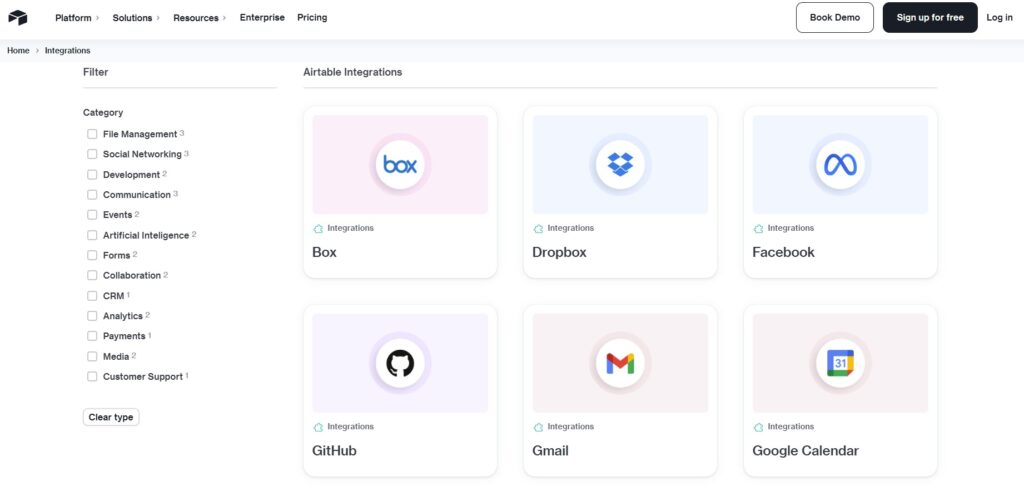
Airtable offers a set of built-in integrations that allow you to connect directly to a selection of popular tools, without any third-party platform. Natively, Airtable connects with around a dozen apps, including Slack, Google Calendar, Salesforce, ChatGPT, Zendesk and more.
The setup is straightforward. From your Airtable base, you enable the integration, authenticate your account, and define the automation trigger and action. No code required.
This is the fastest way to get started. If the tool you need is on the native list and your workflow is simple, Airtable native integrations are the right choice.
That said, native integrations have their limits. The list of natively supported tools remains small, and your options in terms of flexibility and customization are narrow. As soon as your workflows become more complex or involve tools outside the native list, you will need to look elsewhere.
No-code tools (Zapier, Make)
Platforms like Zapier and Make connect Airtable to hundreds of additional tools by acting as an intermediary between your apps. They work on the same principle as native integrations and WordPress plugins: API calls and webhooks. The difference is that developers have already wrapped that technical layer into a point-and-click interface.
You define a trigger in one app and an action in another. For example, when a new record is created in Airtable, a task is generated in your project management tool, or a notification is sent to your team.
For basic workflows, it’s easy to integrate. But as complexity grows, so does the technical requirement. These platforms also operate on a per-task pricing model, and costs can scale quickly.
For WordPress and WooCommerce users, a dedicated plugin remains a more direct and cost-effective solution.
Most popular Airtable integrations (with use cases)
CRM and sales tools
Integrating Airtable with your CRM unlocks a range of practical benefits. Whether you use HubSpot or Salesforce, you can synchronize contacts, deals, and opportunities between platforms automatically. For example, when a new lead fills out a form, a contact is created in your CRM and logged in Airtable simultaneously. No manual entry, no risk of data loss.
Beyond that, a well-configured integration eliminates duplicate data entry and fosters collaboration between sales and other departments: product, marketing, support, and more. Your pipeline stays consistent across platforms and teams, without anyone having to chase updates.
On top of that, Airtable’s flexible database lets you build custom reports that go beyond the native reporting limitations of most CRMs.
Marketing and automation tools
Connecting Airtable to your marketing tools turns your database into an active part of your campaigns. With Mailchimp or Brevo, a new contact added to your Airtable base can be automatically enrolled in an email sequence. No manual export, no copy-paste between platforms. Your lists stay current without any extra effort.
Gravity Forms is one of the most popular form builders for WordPress. By connecting Gravity Forms to Airtable, every form submission on your site is automatically synced to your database. Your leads, contact requests, and intake forms flow directly into Airtable without any manual intervention. You can also connect Gravity Forms to Brevo in minutes with our dedicated Add-On. The broader benefit is consistency. Your marketing team works from the same data as your sales and ops teams, in real time.
Project management tools
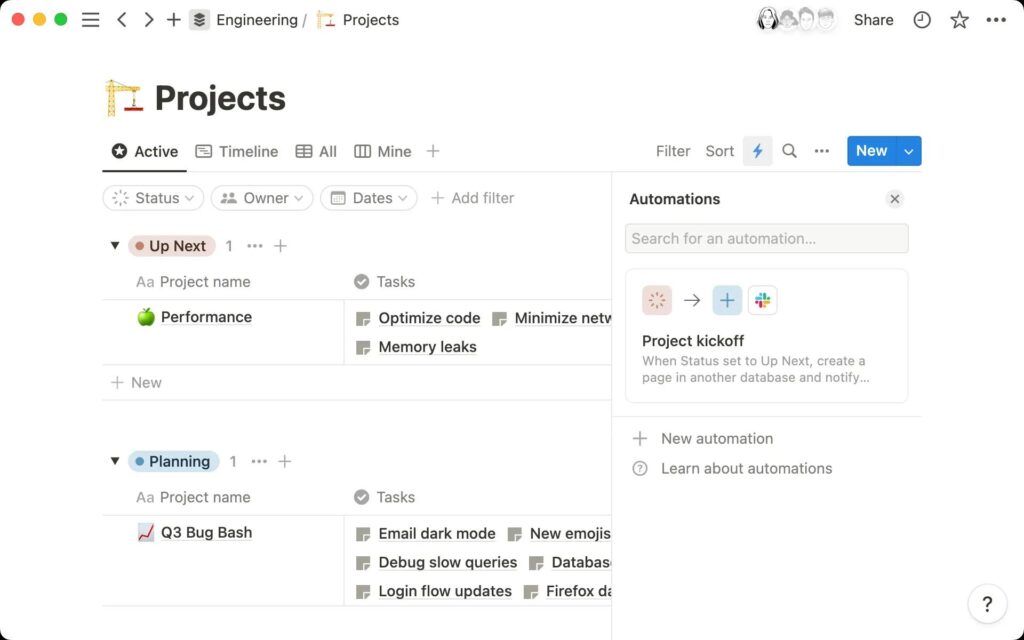
Source : Notion
You can easily integrate Airtable with project management tools such as Jira, ClickUp, and Trello. The goal is simple: keep your operational database in sync with the tools your teams use daily, without forcing anyone to change how they work.
A status update in Trello can trigger a record update in Airtable. A new entry in Airtable can create a task in Jira. Both platforms stay aligned without manual reconciliation.
This is particularly useful for agencies and project-based businesses. Your structured data lives in Airtable. Your business applications communicate with each other, giving you greater clarity and efficiency.
E-commerce and WordPress
For WordPress and WooCommerce users, Airtable becomes a powerful backend to manage your entire online presence from a single database.
Streamline your workflow with Airtable and WordPress
Easily manage your WordPress site from Airtable: publish and update blog content and pages, manage users, job offers, SEO and much more. Simple and effortless integration with no coding required.
With Air WP Sync, you can connect Airtable with WordPress without writing a single line of code. The plugin lets you manage posts, pages, custom post types, users, and taxonomy terms directly from Airtable and sync them to your WordPress site automatically. It is compatible with major SEO plugins including Yoast, Rank Math, and SEOPress, as well as Advanced Custom Fields (ACF).
There is also a dedicated version of the plugin to sync your WooCommerce store with Airtable. Day-to-day management of your product catalog becomes simple and fast. You handle all the complexity from Airtable: track inventory in real time, manage orders, and sync product variations.
Integrating Airtable with WordPress and WooCommerce offers real growth potential through automation and time savings.
Real-world examples of Airtable integrations
Airtable integrations work across a wide range of business contexts. Here are four concrete examples of what you can build when your tools are properly connected.
Automated CRM pipeline
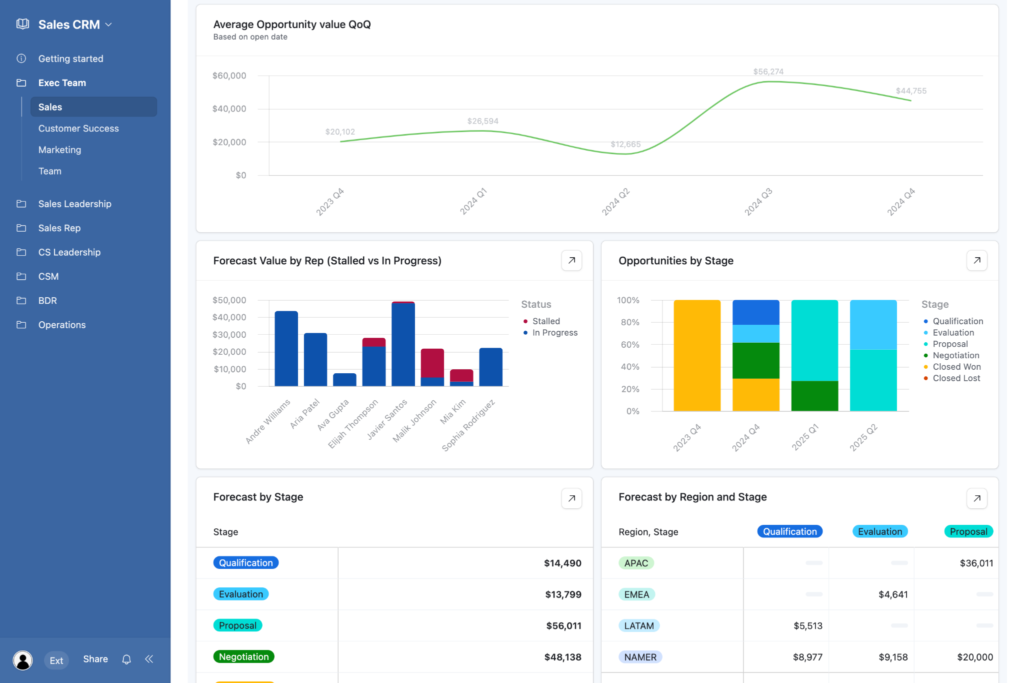
Source : Airtable
You can use Airtable to automate your CRM pipeline. The platform gives you great flexibility to structure your own internal sales logic: contacts, deals, opportunities, accounts, and operations. Every table is linked, and you are not constrained by the fixed sales logic that most CRM tools impose.
The different views available let you customize your workspace to fit your exact needs. Combined with Airtable automation, you can streamline your workflows and eliminate repetitive manual tasks. And because everything lives in one place, your sales, product, ops, and marketing teams can collaborate easily without switching tools.
Marketing campaign management
Marketing campaign management is not always straightforward. With the right Airtable workflows and integrations, you can quickly bring structure to your marketing projects.
Centralize all your campaigns in a single Airtable base. Custom views make day-to-day tracking far more efficient: a calendar for launch dates, a Kanban board to visualize progression at a glance.
The automation possibilities make it even more powerful. Notify your copywriter on Slack when a brief is ready. Assign tasks automatically based on campaign status. Track performance directly in Airtable to make faster, better-informed decisions.
Headless content management
Imagine managing all your WordPress content without ever opening the WordPress dashboard. With Airtable as your content backend and WordPress as your frontend, that is exactly what becomes possible.
You write, review, and approve your content directly in Airtable. Your whole team collaborates in one place: writers, editors, and project managers all work from the same base, with full visibility on every piece of content. No more back and forth over email, no more version conflicts.
Once an article is validated, Air WP Sync publishes it to your WordPress site automatically. No reformatting, no copy-paste, no time wasted in the WordPress editor. Your content is published to reflect the design and brand identity of your website.
E-commerce synchronization
Managing a large product catalog directly in WordPress can quickly become a nightmare. With Air WP Sync for WooCommerce, you manage everything from Airtable: product descriptions, prices, stock levels, and variations. Every update you make is automatically synced to your live WooCommerce store.
No need to log in to WordPress to update a price or manually adjust stock levels. Your catalog stays accurate, and your inventory remains up to date. Your teams will be able to work seamlessly to support your growth.
Easily manage your e-commerce website from Airtable
Get your WooCommerce store synchronized with Airtable: save time and increase business productivity.
Best practices for successful Airtable integrations
Connecting Airtable to your existing tools is only half the work. How you structure and maintain those integrations determines whether they save time or create new problems.
Structure your bases before connecting : a poorly organized Airtable base will produce poorly organized data everywhere it syncs. Before setting up any integration, make sure your tables, fields, and naming conventions are clean and consistent.
Map your data flows in advance : document what data needs to move, in which direction, and how often. A clear map prevents overlaps and unexpected behaviors. Having a backup of your Airtable bases is also recommended to anticipate incidents. Learn how in our guide on Airtable export.
Avoid unnecessary dependencies : every integration you add is a dependency. Keep your logic as simple as possible. Two well-configured connections are more reliable than five chained ones.
Monitor your automations regularly : APIs change, tokens expire, your workflows may evolve, and special cases can arise over time. Review your logs regularly to fix errors and improve your processes. If possible, assign someone to ensure that your integrations are functioning properly.