How to Export Products from your eCommerce to the Air WP Sync for WooCommerce Template?
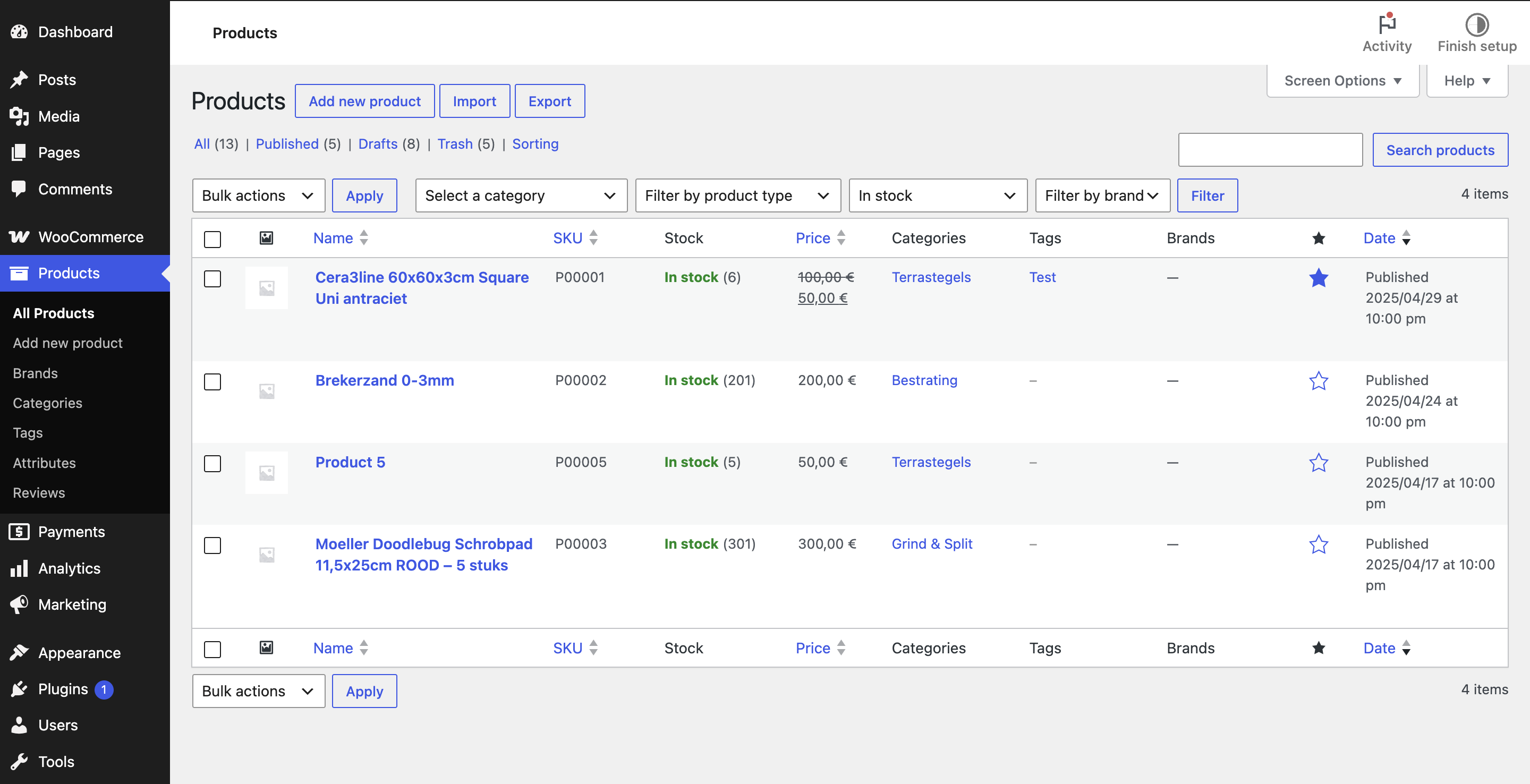
Until now, Air WP Sync for WooCommerce let you import products from Airtable into your store. With the new export feature, you can now go the other way around and send the products that already exist in your WooCommerce store into the Airtable template.
This is the perfect starting point if you already have a catalog in WooCommerce and want to start managing it from Airtable, without recreating every product by hand.
How does it work?
The export works exactly like an import, only in the opposite direction. Instead of pulling data from Airtable into WooCommerce, it pushes your WooCommerce products into the Airtable template.
You start from the original template, which comes empty, and the export fills it with your existing products.
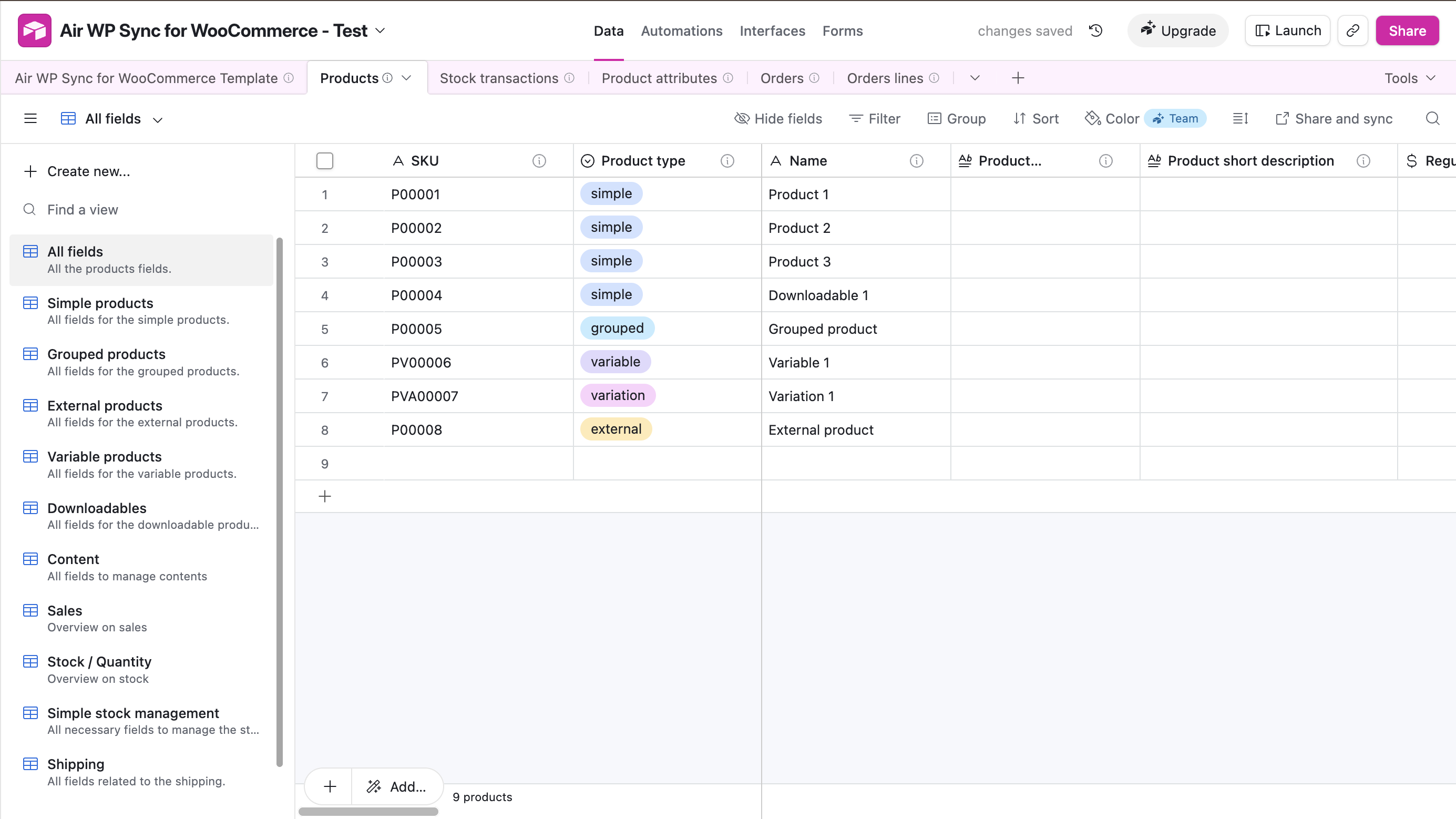
⚠️ Important: the export must be done on the original, unmodified template we provide. If the template structure has been changed before exporting, the products may not be filled in correctly. Start from a fresh copy of the official template.
Step by step: exporting your products
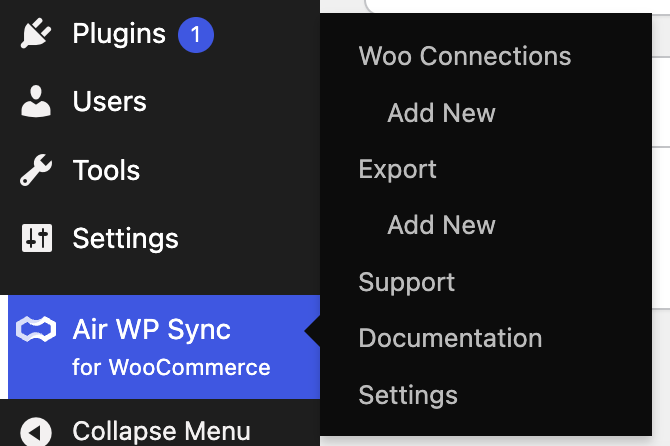
1. Open the Export section
In the Air WP Sync for WooCommerce menu, go to the Export section.
2. Create a new Export connection
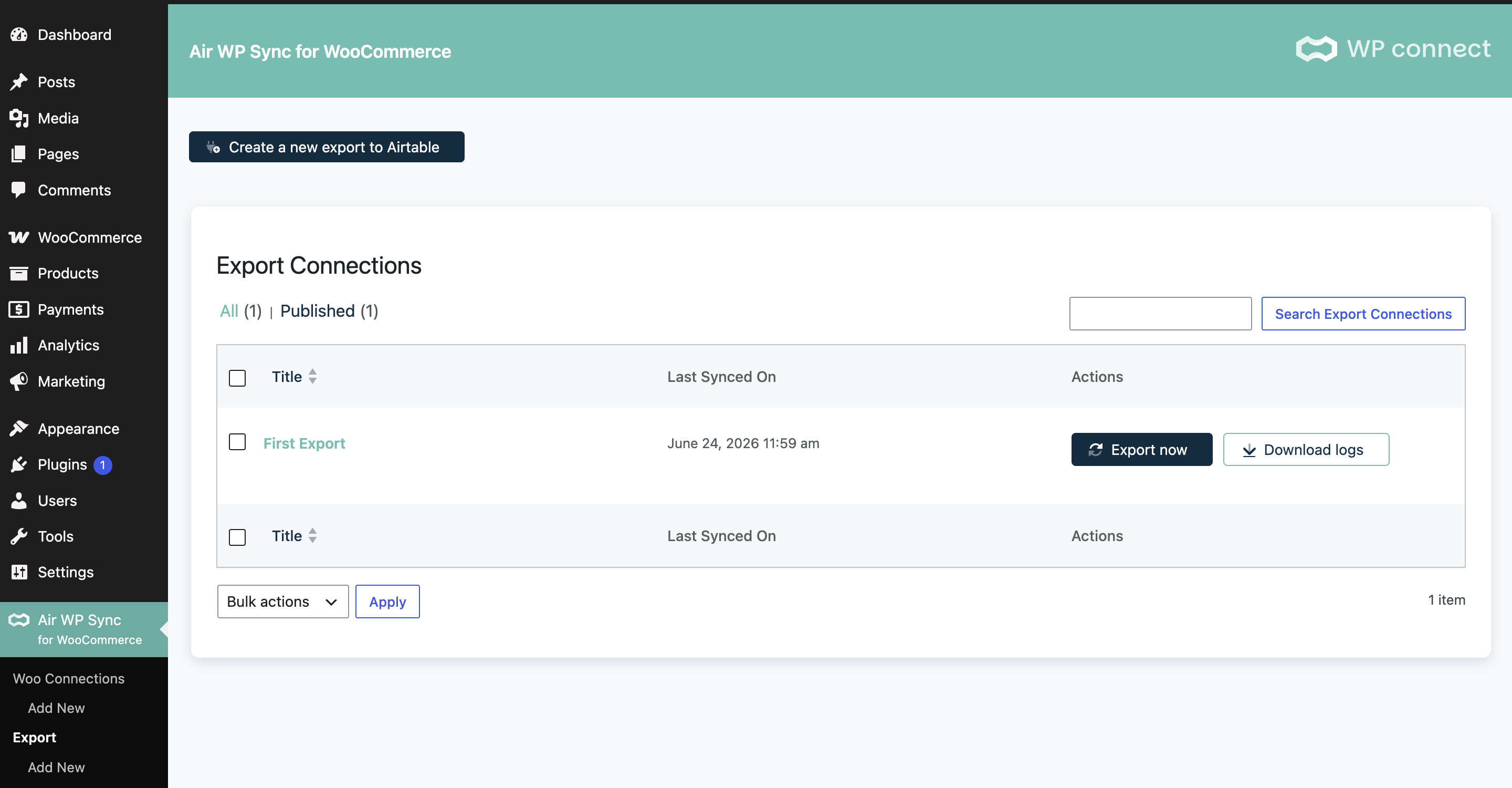
Click to create a new Export connection and connect it to your Airtable base and the destination table of the template.
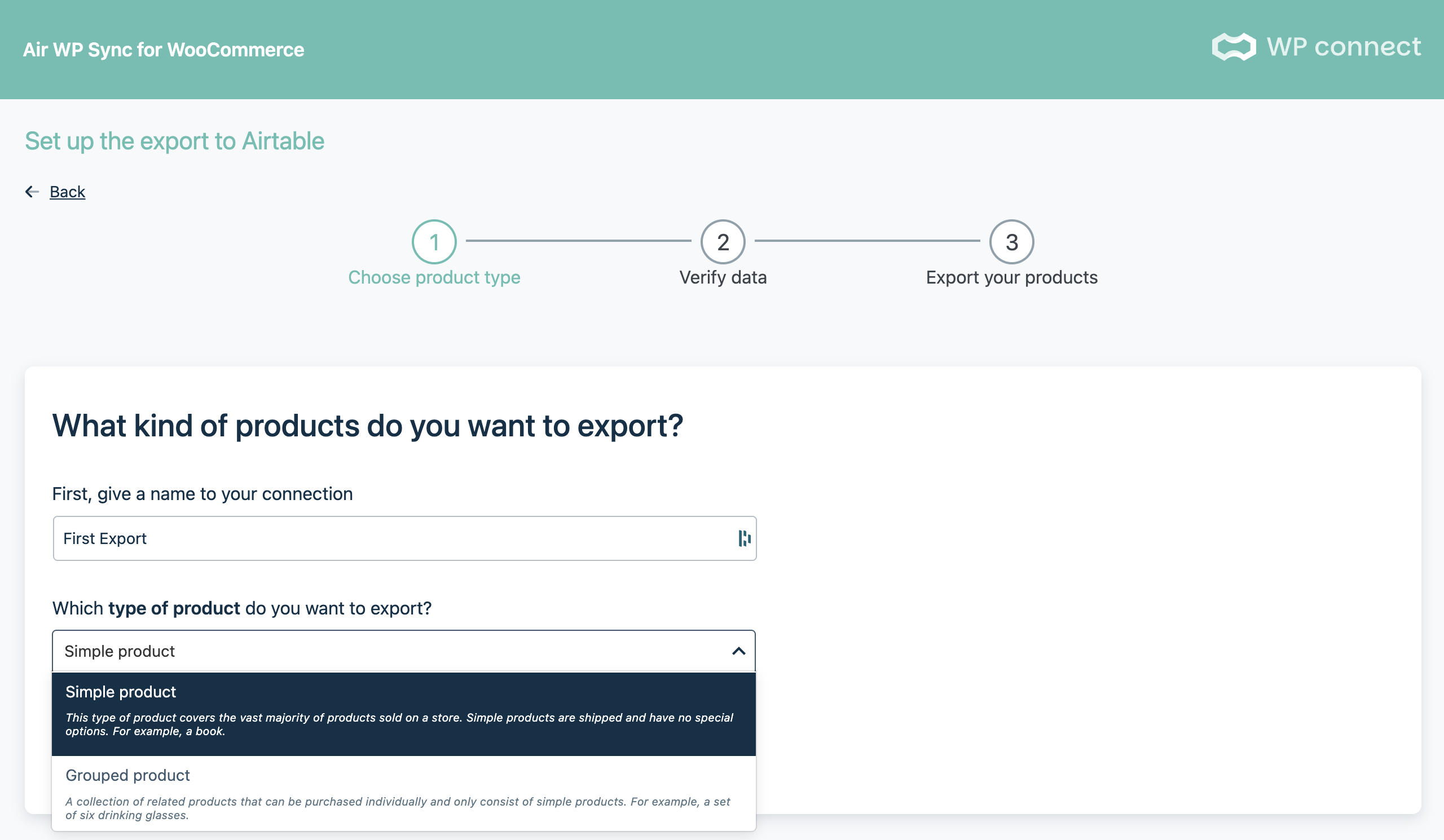
3. Select the product type
Choose which products you want to export: Simple, Variable, or another supported type. This tells the plugin which fields it needs to send to the template.
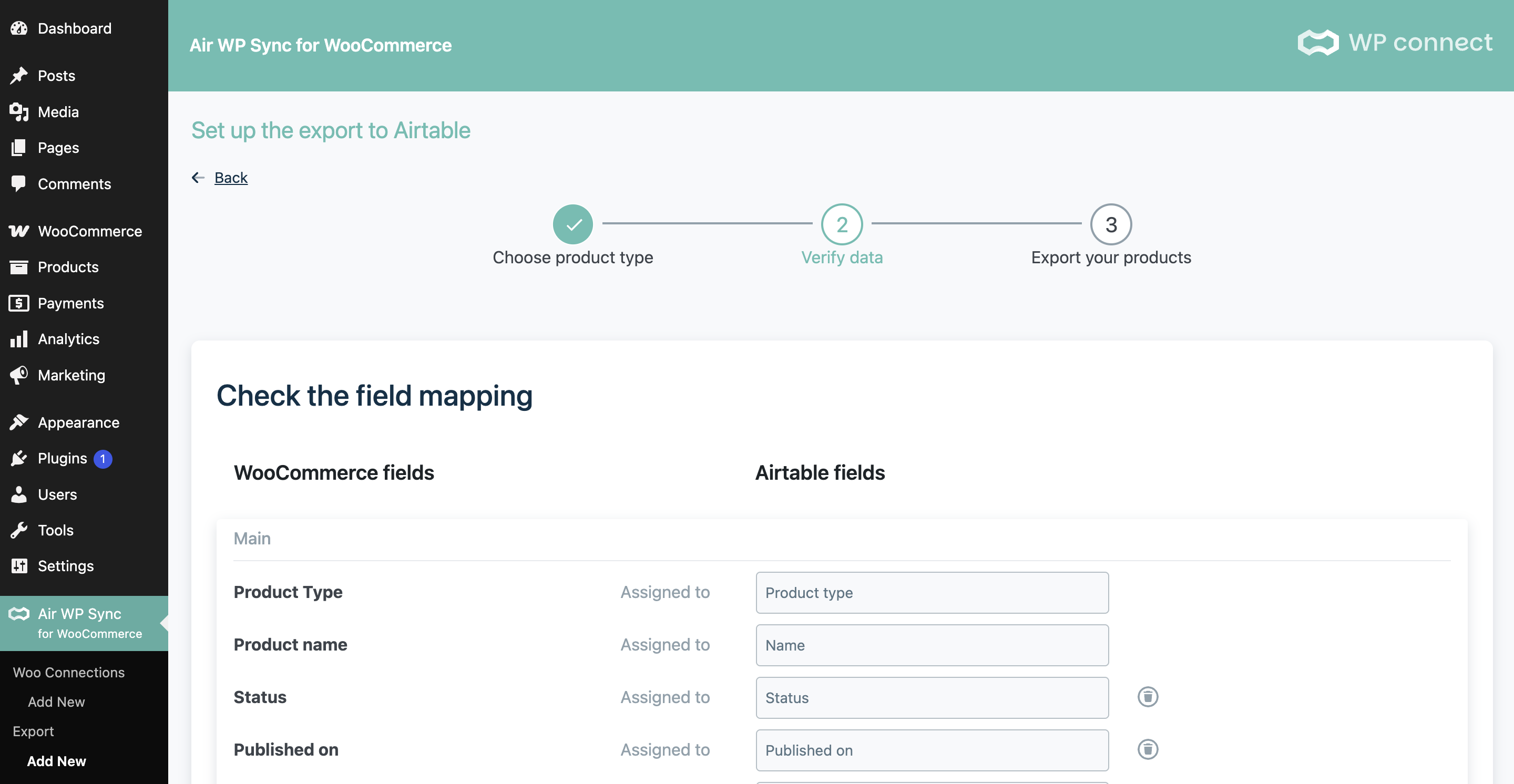
4. Adjust the mapping (if needed)
Review the field mapping between your WooCommerce products and the Airtable columns. Depending on the product type, you can add fields so that all the information you need ends up in the template.
5. Run the export
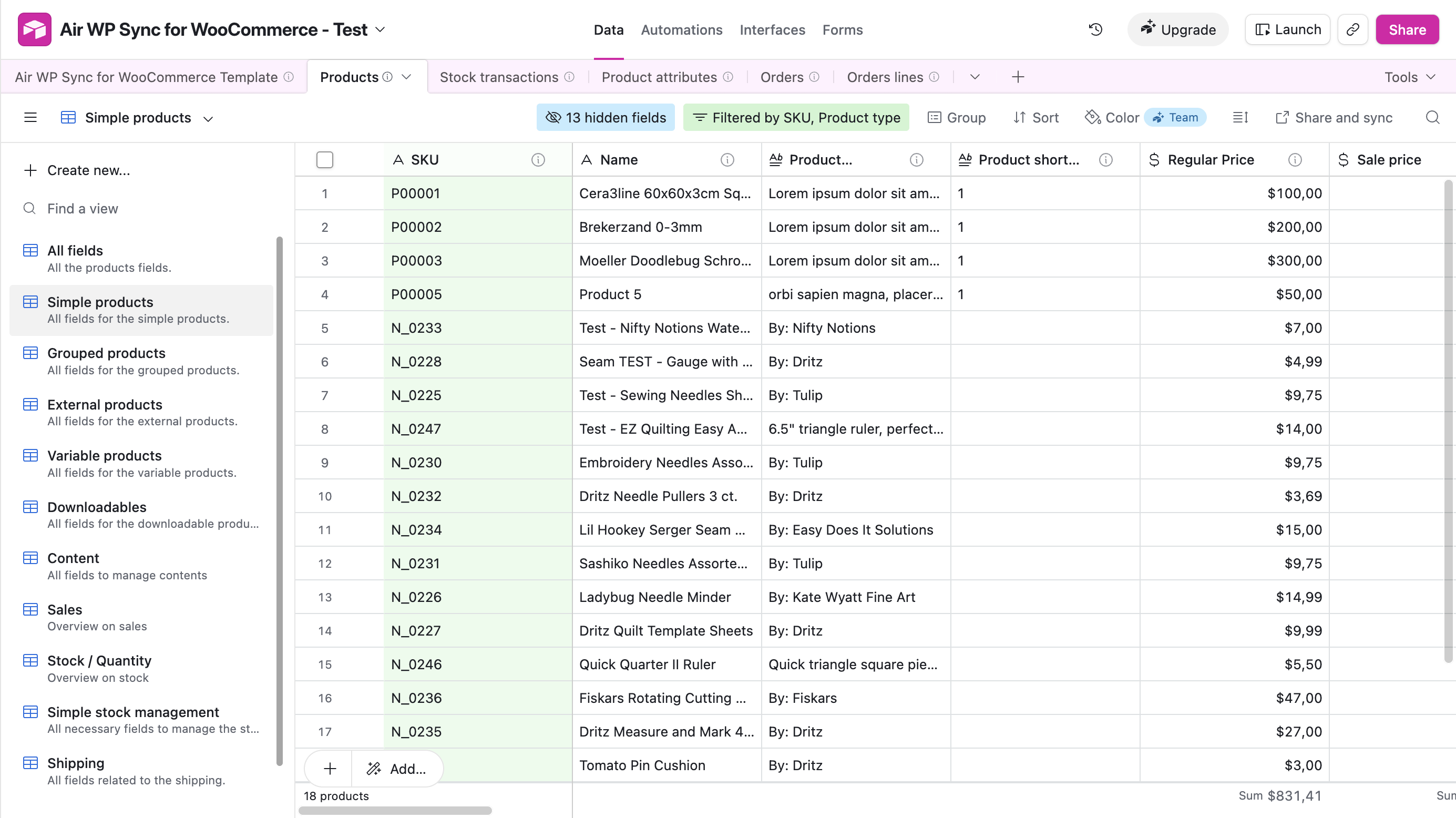
Launch the export and wait for it to finish. Once it completes, all your products will be filled into the Airtable template, ready to be managed.
What's next?
Once your products have been exported, the template is fully populated and you can start using the plugin normally. That means the standard synchronization from Airtable to WooCommerce.
If you now want to keep your existing products up to date from Airtable, head over to the next article: How to Update Existing Products?
If you run into any issue during the export, contact our support team and share your Airtable base and connection configuration.
Get Air WP Sync for WooCommerce
Ready to manage your WooCommerce catalog from Airtable? Export your products, keep them in sync, and automate your updates with Air WP Sync for WooCommerce.
Discover Air WP Sync for WooCommerce →