You gave us 4.86 on wp.org
Send Gravity Forms entries to Odoo.
Contacts, leads, any model.
- Version 1.1.1
- Since 2025
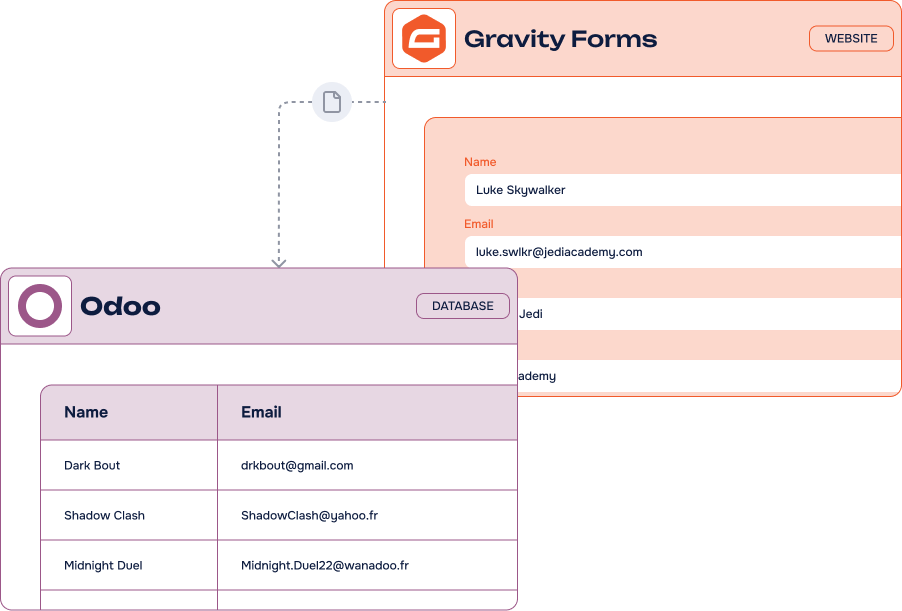
The Gravity Forms to Odoo Add-On pushes every form submission straight into your Odoo database — contacts, leads, CRM or any custom model — with dynamic field mapping and conditional logic. All from your WordPress admin.
14-day Money Back Guarantee
Key features
-
Unlimited
feedsCreate as many feeds as you need, on as many forms as you like
-
Dynamic field mapping
Your Odoo models and attributes are read live and mapped to your form fields
-
Custom Odoo models
Not just contacts and leads: sync to any model you have in your database
-
Conditional logic support
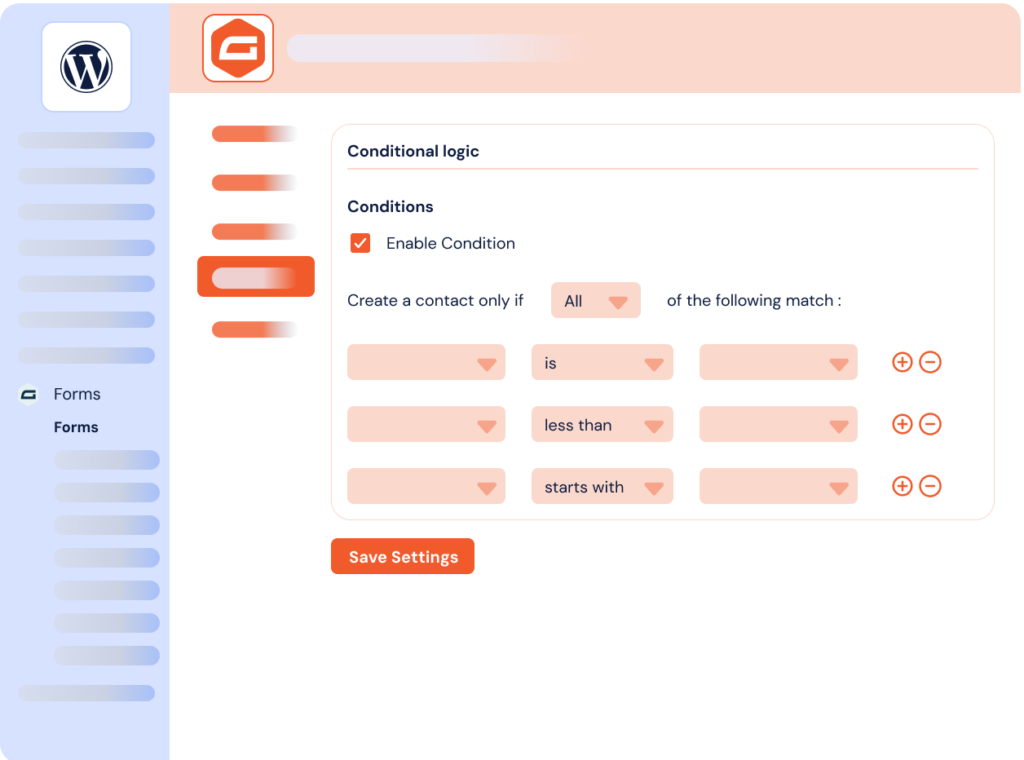
Multiple rules on field values decide when a record is created or updated
-
Create or update records
Odoo is updated instantly every time a form is submitted, without duplicates
-
One connection, many forms
Connect your database once, then manage every form from your WordPress dashboard
-
No third-party platform
A direct Odoo API connection, without Zapier, n8n or Make in the middle
-
Works with every form
WordPress, WooCommerce or third-party forms built with Gravity Forms
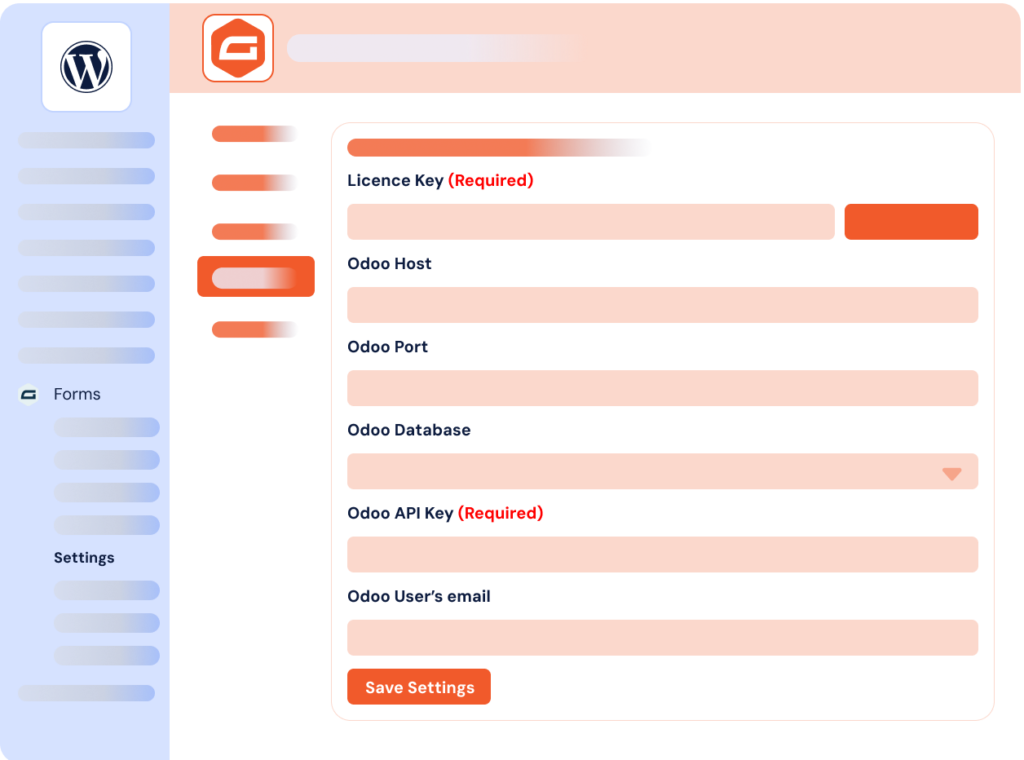
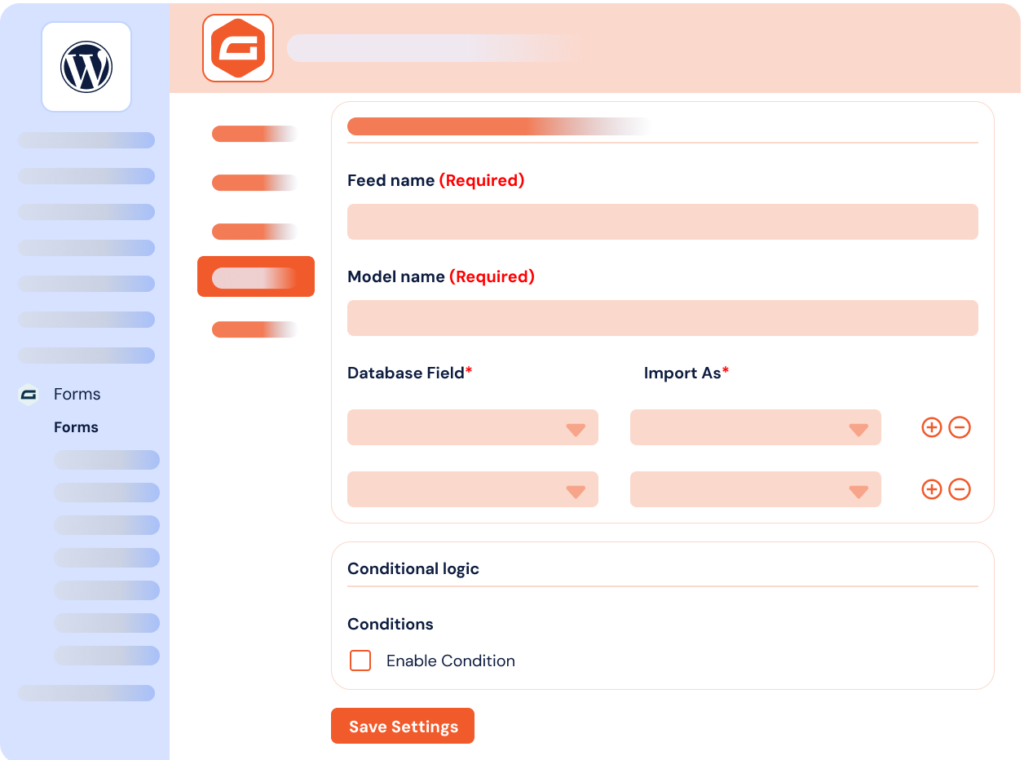
It’s easy to connect Gravity Forms and Odoo using our Add-On
What can you do with the Gravity Forms to Odoo Add-On?
Our Odoo integration for the Gravity Forms WordPress plugin offers a variety of benefits: add and manage the data submitted on your website forms directly in Odoo, without any automation tool like Zapier or Make. No coding required — everything works seamlessly in your WordPress admin panel.
-
Lead & CRM automation
Every contact form becomes an Odoo lead or partner record, ready for your sales pipeline.
-
Project management
Turn project requests into Odoo records and track requirements and deadlines where your teams already work.
-
Custom models sync
Push submissions into any Odoo model you have built, not just the standard ones.
-
Recruitment & HR forms
Applications land in Odoo automatically, with the right fields already filled in.
-
Event registrations
Collect signups on your site and manage attendees directly from your Odoo database.
Gravity Forms Odoo Add-On: incredible features, fair pricing
Most popular
Pro plan
$50.00 /year
$150.00 /year
$200.00 /year
All Features you need
- Included: Unlimited feeds on unlimited forms
- Included: Dynamic field mapping with Odoo models
- Included: Custom Odoo models sync
- Included: Create or update any Odoo record
- Included: Conditional logic support
- Included: One year of updates & priority support
Lifetime
$150.00 for life
One-time payment
$600.00 for life
One-time payment
Everything but for life
- Included: Unlimited feeds on unlimited forms
- Included: Dynamic field mapping with Odoo models
- Included: Custom Odoo models sync
- Included: Create or update any Odoo record
- Included: Conditional logic support
- Included: Lifetime updates & priority support
-
Contact us
You need a special plan, integration services or custom development? We are here for you!
-
Guarantee
14-Day Money Back Guarantee
-
Switch your plan
Change your plan at anytime
Frequently Asked Questions
Find answers to the most common questions about the Gravity Forms to Odoo Add-On — from setup and field mapping to licensing and support.
What is Odoo?
Odoo is a powerful all-in-one business management platform. By combining a wide range of integrated applications — from CRM and sales to inventory, accounting, and HR — Odoo helps businesses streamline operations and centralize data within a single cloud-based system. Its flexibility and modular structure have made it a go-to solution for companies of all sizes.
Odoo is available in multiple languages and can be hosted in the cloud or on-premise. The advantage? You can manage your entire business — from customer relationships to financial operations — all from one centralized platform.
What is an Odoo integration?
An Odoo integration is a solution that extends the platform’s functionalities to other tools and applications. For example, an Odoo to WooCommerce integration connects both systems and facilitates data exchange between them.
Odoo, like WordPress, has opened API access to enable integrations with third-party tools. We provide you with WordPress API integrations solutions to connect these platforms seamlessly. This offers extensive possibilities for process optimization, automation and productivity.
Which tools do you integrate with Odoo?
We offer add-ons to connect WooCommerce and Gravity Forms with Odoo. Our modules are very simple to set up and require no technical skills.
We regularly develop new connectors that we also publish. Additionally, if you need a custom solution for a business tool, we can help you. Contact us for custom WordPress development and integration solutions.
How do your Odoo integrations work?
WP connect specializes in developing WordPress plugins and add-ons to integrate your tools. Our integrations are modules or plugins that you install and configure on your WordPress site.
The integrated tools communicate through API. But don’t worry. Our team handles all the technical aspects. You just need to provide simple details to configure your integrations. Feel free to check our documentation or contact our team if you have specific needs.
How to install your products?
You can install our WordPress plugins and add-ons by uploading them to your site. To do this, follow these steps:
- Download the plugin file to your computer after purchase it on wpconnect.co.
- Log in to your WordPress dashboard.
- On the left-hand side menu, click on “Plugins” and then “Add New”
- Click the “Upload Plugin” button at the top of the page.
- Click the “Choose File” button and select the plugin file you downloaded in Step 1.
- Click the “Install Now” button.
- Wait for the plugin to be installed, and then click the “Activate” button.
It’s important to note that our plugins and add-ons require additional steps to be fully configured and integrated into your site. Please follow the installations steps described below on the FAQ and our tutorials.
Gravity Forms to Odoo Add-On connects Gravity Forms to Odoo, the all-in-one platform to run your business. With this integration, people who submit your forms are automatically added to Odoo, which lets you reengage them later with helpful emails or great newsletters.
The Add-On reads your Odoo models and attributes live and maps them to your Gravity Forms fields. Contacts, leads, CRM records or any custom model you have built: the plugin creates or updates the right record on every submission. Conditional logic gives you precise control over when that happens, with multiple rules based on the values your visitors submitted.
Connect your database once — URL, database name, email and API key — and manage as many forms and feeds as you need from your WordPress dashboard. Our comprehensive documentation and developer resources make it easy to get started and learn how to use all the features of the integration.
Whether you are using WordPress, WooCommerce, third-party plugins or other platforms, our Gravity Forms integrations are the perfect solution for streamlining your lead management and campaign efforts. Automate your workflow without any automation tool like Zapier or Make.

