You gave us 4.86 on wp.org
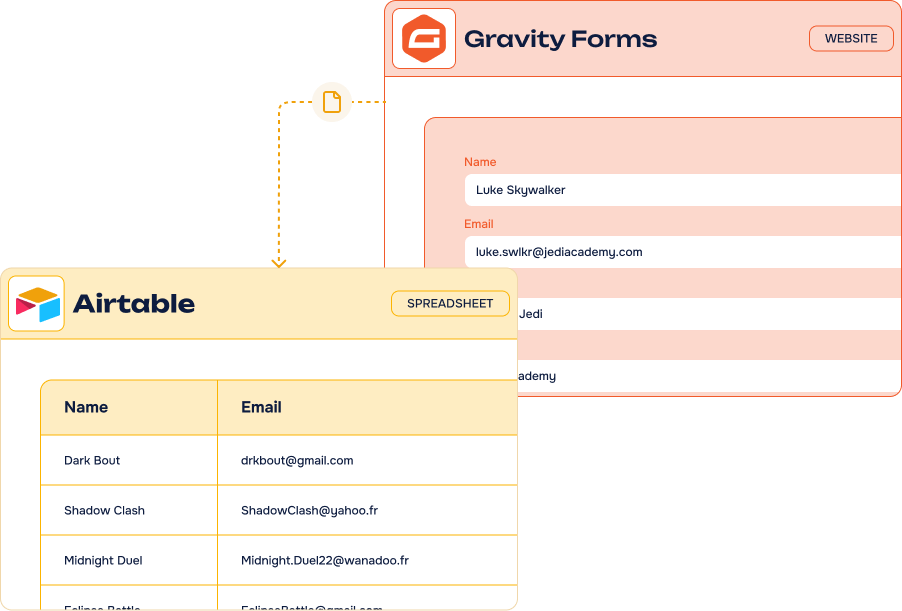
Send Gravity Forms entries to Airtable.
Structured, mapped, automatic.
- Version 2.6.0
- Since 2022
The Gravity Forms to Airtable Add-On turns every form entry into an organized record in your Airtable base — fields mapped one to one, conditional filters, no Zapier. All from your WordPress admin.
14-day Money Back Guarantee
Hear what they have to say
Rated 5 out of 5
This add-on is a terrific way to seamlessly get our form Gravity Forms info into our workflows in Airtable. We had a couple buggy issues when upgrading to a newer version, but customer service could not have been more helpful and accommodating in figuring out our issues and addressing them. Highly recommend.
Rated 5 out of 5
5 Stars! The Airtable Pro+ and Gravity Forms to Airtable plugin have been an absolute game changer for us. It’s allowed us to provide our clients with more ways to handle data, and keep track of form submissions. I recommend both of the plugins to every client, current and new. Support has been amazing too. We were able to pinpoint a very difficult issue and resolve it within a reasonable time frame.
Rated 5 out of 5
I am using the Air WP Sync in unison with Gravity Forms to Airtable to build a full app experience in WordPress. I am able to collect my user data with GF and then use Air WP Sync to send the data back to the WP site and build out logged in user's dashboard. These plugins are such great tools because you can essentially full blow web apps using WordPress. This opens up tons of possibilities for WP designers and developers like myself.
Key features
-
Unlimited
feedsCreate as many feeds as you need, on as many forms as you like
-
Easy fields mapping
Match every Gravity Forms field with its Airtable column in a few clicks
-
Advanced Airtable fields
Attachments, linked records, selects, dates, numbers — the whole field palette
-
Conditional filters & actions
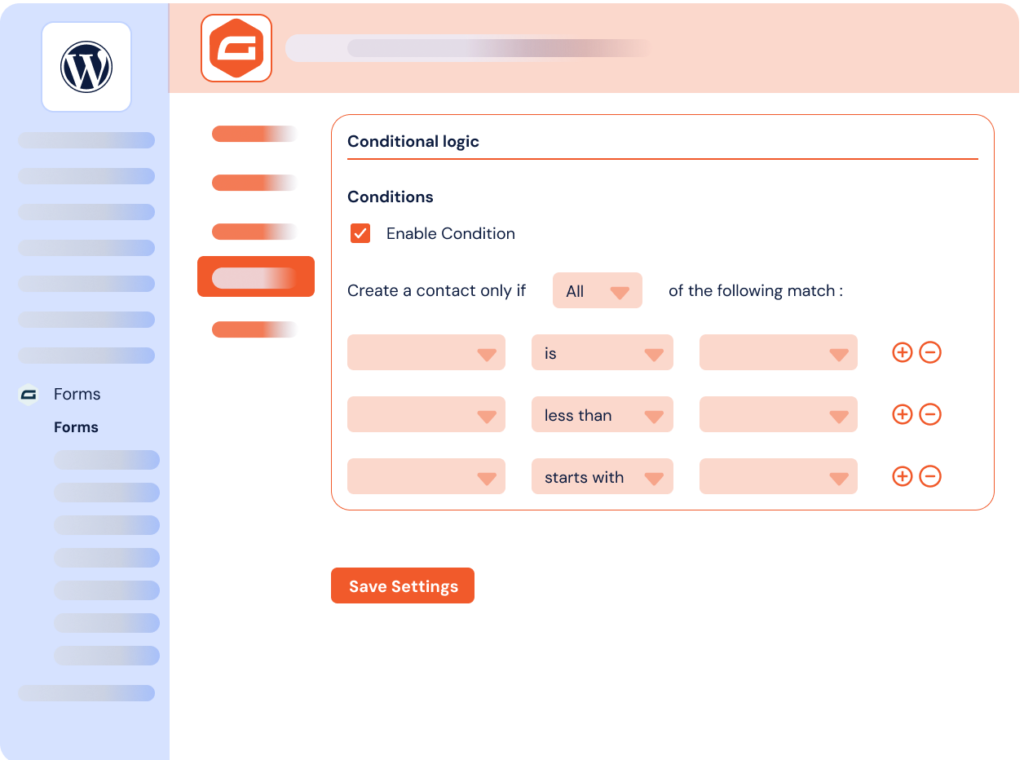
Only send the entries that meet your criteria, straight from Gravity Forms conditional logic
-
Instant record creation
Records are created or updated in Airtable the moment the form is submitted
-
Several bases & tables
Send each form — or each feed — to the base and table that matter
-
No third-party platform
A direct API connection, without n8n, Zapier or Make in the middle
-
Works with every form
WordPress, WooCommerce or third-party forms built with Gravity Forms
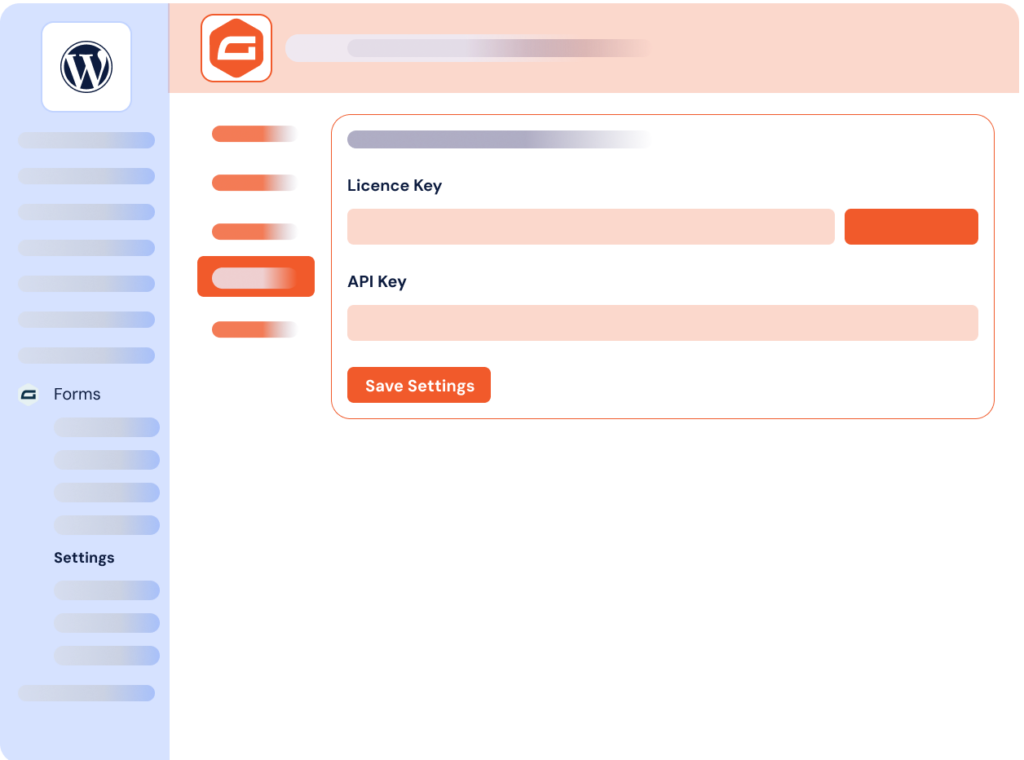
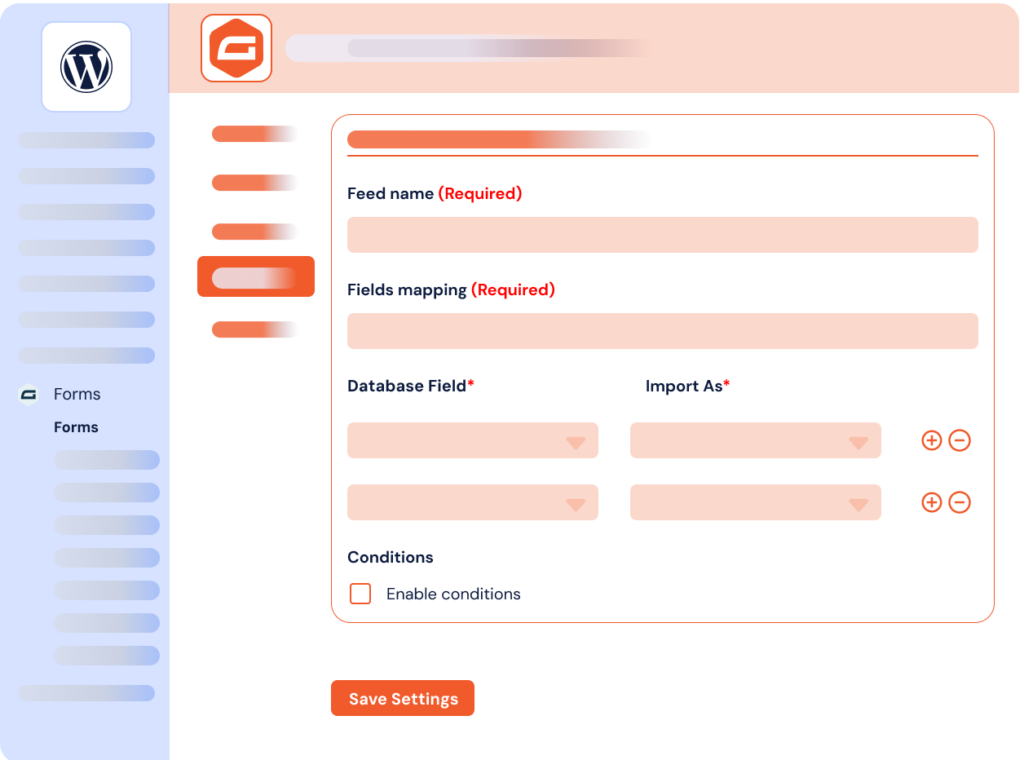
It’s easy to connect Gravity Forms and Airtable using our Add-On

What can you do with the Gravity Forms to Airtable Add-On?
Businesses use Airtable in different ways and for various purposes: CRM, project management, human resources, accounting and much more. This Gravity Forms to Airtable integration offers great workflow automation possibilities. Here are some common use cases we have observed with our clients.
-
CRM Automation
Send contact form data directly to your Airtable CRM. Automatically create prospect records with custom fields for lead tracking, deal management and customer relationship workflows.
-
Project Tracking
Capture project requests via forms and create Airtable project records. Track client requirements, deadlines and deliverables using Airtable’s kanban and calendar views.
-
Event Planning
Collect event registrations from WordPress forms into organized Airtable databases. Manage attendee information, preferences and event logistics with automated data collection.
-
Survey Collection
Send survey responses from WordPress forms to structured Airtable databases. Analyze feedback, track responses and create reports using Airtable’s data organization capabilities.
-
Data organization
Transform form submissions into structured Airtable records for analysis. Centralize data collection from multiple WordPress forms into organized, collaborative Airtable bases.
Gravity Forms Airtable Add-On: incredible features, fair pricing
Most popular
Pro plan
$50.00 /year
$200.00 /year
$300.00 /year
All Features you need
- Included: Unlimited feeds on unlimited forms
- Included: Full fields mapping with Airtable columns
- Included: Advanced Airtable fields support
- Included: One or several bases and tables per feed
- Included: Conditional filters & actions
- Included: One year of updates & priority support
Lifetime
1 site
$300.00 for life
One-time payment
Everything but for life
- Included: Unlimited feeds on unlimited forms
- Included: Full fields mapping with Airtable columns
- Included: Advanced Airtable fields support
- Included: One or several bases and tables per feed
- Included: Conditional filters & actions
- Included: Lifetime updates & priority support
-
Contact us
You need a special plan, integration services or custom development? We are here for you!
-
Guarantee
14-Day Money Back Guarantee
-
Switch your plan
Change your plan at anytime
Frequently asked questions
Find answers to the most common questions about the Gravity Forms to Airtable Add-On — from setup and field mapping to licensing and support.
What is Airtable?
Offered in SaaS mode, Airtable is a database tool designed to create a simple online form and a project management environment or even a custom CRM. Equipped with an automatic translation function, Airtable manages multiple views: maps, calendars, Kanban boards, Gantt charts, etc. It’s an excellent platform for data integration and automating advanced workflows.
Why integrate Gravity Forms with Airtable?
Integrating Gravity Forms with Airtable transforms your WordPress form submissions into powerful, organized data while saving significant time and improving data quality.
Say goodbye to manual data entry. Instead of copying form submissions manually into spreadsheets or databases, your Gravity Forms automatically create structured Airtable records. No double data entry means fewer errors and better data accuracy. Your team can focus on analyzing and acting on data instead of transferring it.
Airtable’s database capabilities turn your form data into actionable business intelligence. Create custom views, link related records, and collaborate with team members on the same data set. Whether you’re managing leads, tracking projects, or organizing events, your form submissions become part of a comprehensive workflow with consistent, high-quality data.
Unlike basic form storage, Airtable records can be filtered, sorted, and connected to other data sources. You can also enhance your automated workflows by leveraging Airtable’s extensive integrations with tools like Slack, Google Workspace, and hundreds of other platforms. Generate reports and visualize insights from your WordPress forms data while connecting to your existing tech stack.
The connection works seamlessly without technical complexity. No coding required, no third-party automation tools needed. We also have other Gravity Forms integrations for tools such as Notion, TimeTonic, SendGrid, and Odoo to extend your workflows.
How to connect Gravity Forms to Airtable?
Connect your Gravity Forms to Airtable with the Gravity Forms to Airtable WordPress Add-On. This is a no-code integration that requires no third-party tools and no technical skills to set up.
To integrate your WordPress forms to your Airtable database, follow these steps:
- Download the Gravity Forms to Airtable integration file after purchasing it on WP connect.
- Log into your WordPress site and install the Add-On following the standard WordPress installation process
- Activate your license. Your license key will be sent in the confirmation email after purchase. You can also find it in your WP connect account.
- On the form you want to integrate, go to the Airtable section under Airtable Feeds and click “Add new”. This creates a new data flow between Gravity Forms and Airtable.
- Choose the Airtable database where the data should be added.
- Map your Gravity Forms fields with your Airtable table attributes.
- Activate conditional logic if needed.
- Click “Save settings”
You can refer to our documentation for a detailed guide on each step of the Gravity Forms to Airtable integration. Our expert team is available if you encounter any difficulties with our products.
Does your Gravity Forms Airtable integration work with Airtable free account?
Yes, our Gravity Forms Airtable integration works perfectly with Airtable’s free plan. The free Airtable account allows you to create Personal Access Tokens, which enables seamless synchronization of your form entries with your databases.
No technical concerns needed. We’ve handled the complexity for you. You just need to follow a few easy steps to create your Personal Access Token and integrate it into the Add-On settings in your WordPress dashboard. Our documentation guides you step-by-step through the configuration process.
The Gravity Forms Airtable add-on supports all major field types to ensure smooth data transfer from your web forms. Supported fields include single-line text, email, phone, dropdown, checkboxes, multiple choice, numbers, date/time, URL and many others. We are committed to providing a complete and simple no-code solution for our clients.
Our documentation also features a comprehensive table of supported fields and mapping possibilities.
Gravity Forms to Airtable Add-On connects your Gravity Forms data with Airtable to leverage powerful database capabilities. It turns your form entries into organized, actionable records in Airtable.
Airtable is a cloud-based platform that combines database functionality with user-friendly interfaces. Unlike traditional spreadsheets like Google Sheets, Airtable offers multiple view types including grid, calendar, kanban and gallery views. It is designed for team collaboration and project management, with features like linking records, attachments and automated workflows.
Our Gravity Forms integrations enable you to automatically create or update Airtable records from your WordPress form submissions. Perfect for lead management, customer data organization, project tracking, CRM workflows and more. With the Gravity Forms to Airtable integration, you map your form fields directly to Airtable base attributes for seamless data flow.
This is a no-code solution that works entirely within your WordPress admin panel. No technical skills required, and no need for third-party automation platforms like Zapier or Make that add complexity and ongoing costs.