You gave us 4.86 on wp.org
Sync Notion with WordPress.
Live, structured, effortless.
- Version 3.0.1
- Since 2023
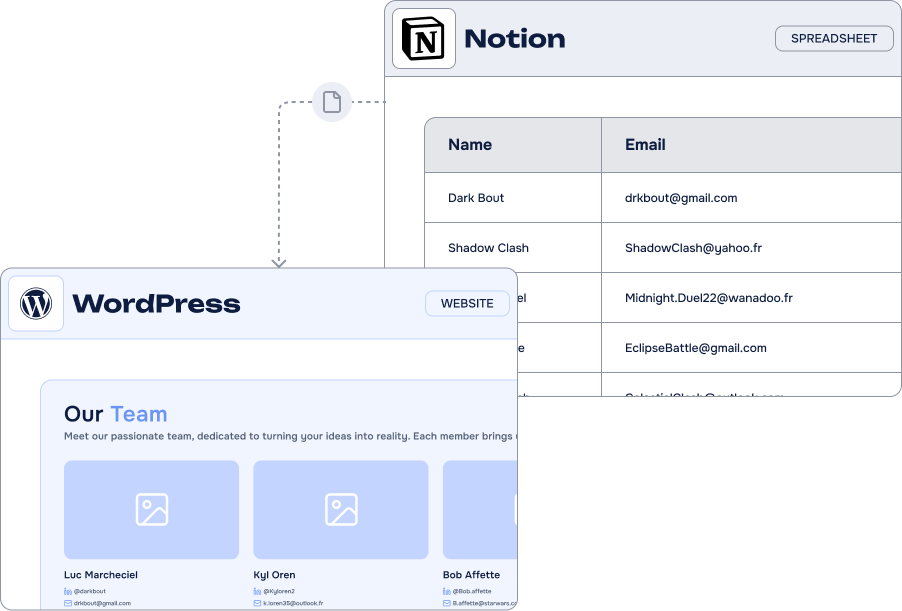
Notion WP Sync keeps your WordPress content in sync with your Notion base. Map fields, automate updates, and manage everything from Notion – no code, no CSVs, no limits.
14-day Money Back Guarantee
Key features
-
Unlimited connections
Sync as many content types as you like
-
Custom Post Type Support
Work with any CPT or create yours on-the-fly
-
Advanced Fields Mapping
Supports rich text, selects, attachments, numbers, dates…
-
Taxonomy Sync
Categories, tags, and even custom taxonomies
-
ACF
SupportMap to any custom fields with complete ACF support !
-
Major SEO plugins Support
Manage your SEO in Notion, sync it directly in WordPress
-
Sync
SchedulingSync hourly, daily, or on demand
-
Filters &
ViewsChoose specific records with Notion views and filters











It’s easy to connect Notion and WordPress using Notion WP Sync
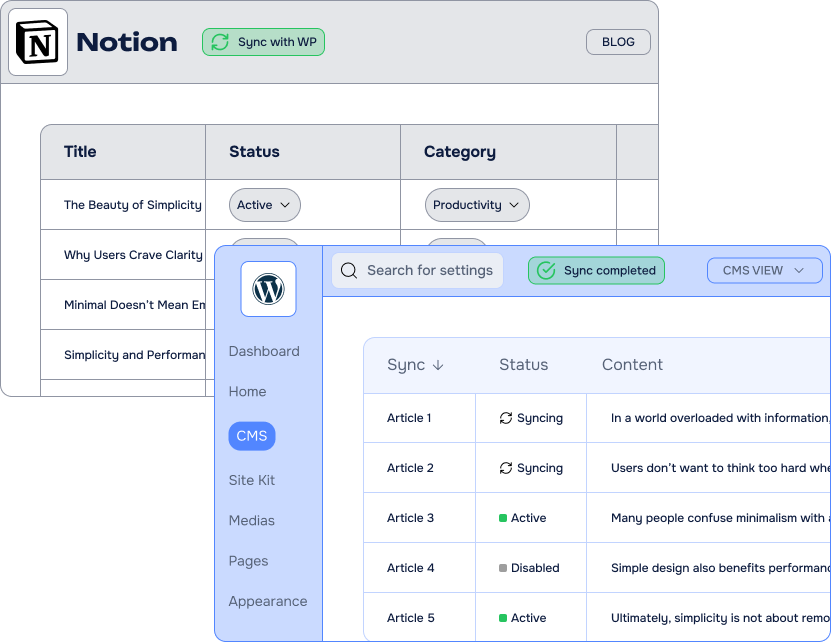
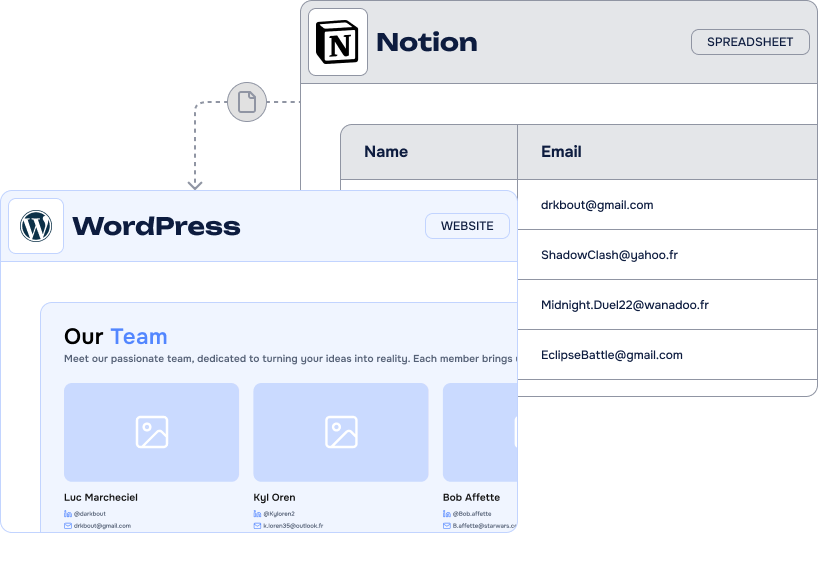
What can you do with Notion WP Sync – Notion to WordPress?
Notion WP Sync helps creators and developers build websites with WordPress and Notion. The plugin imports and displays Notion content on WordPress for content management, SEO, and more. Start with our free version; the paid version offers advanced features.
-
Websites and blogs
Import articles and pages into your site with the Notion WP Sync plugin simply and efficiently
-
Real Estate Websites
Generate your real estate ads directly and simply from your Notion database
-
Job Boards
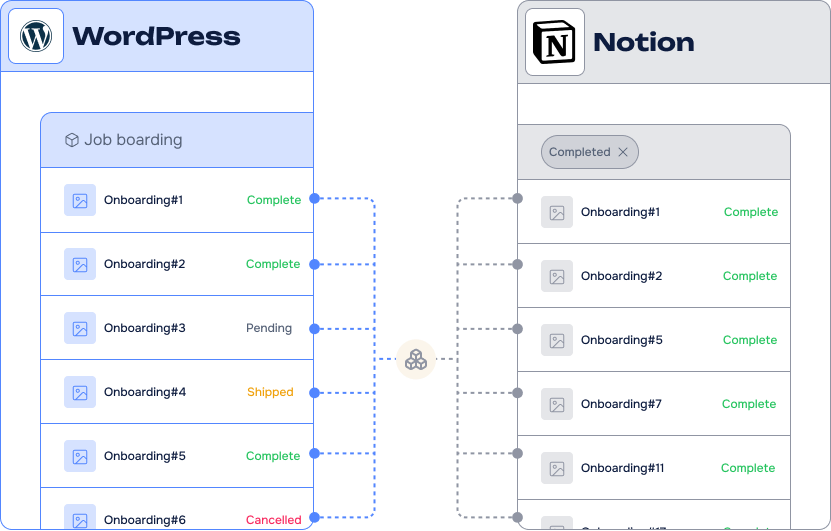
Manage your job listings in Notion. Notion WP Sync helps you easily import and display them on your WordPress website.
-
Directory listing Websites
Import your directory listings from Notion to WordPress in just a few clicks
-
Private Blog Networks
Manage your Private Blog Networks in Notion and integrate them easily with WordPress.
Our Pricing Plans
Free
Just the basic
- Included: 1 active connection
- Included: Users, Posts, Pages, Taxonomies Terms Sync
- Included: Manual & Once a day/week Sync
- Not included: ACF + CPT + SEO
- Not included: Instant Sync
- Not included: Lifetime Option
Most popular
Pro plan
$16.67 /month
$20.00 /month
Billed annually $200.00
Save $40.00 by paying annually
$50.00 /month
Billed annually $600.00
$66.67 /month
Billed annually $800.00
All Features you need
- Included: Unlimited connections
- Included: ACF + CPT + SEO
- Included: Manual, Instant Sync and all choices of recurring Sync
- Included: Elementor, Divi, Weglot, TheEvent Calendar, TranslatePress Support
- Included: Premium Support & Updates
- Not included: Lifetime Option
Lifetime
1 site
$600.00 for life
One-time payment
Everything but for life
- Included: Unlimited connections
- Included: ACF + CPT + SEO
- Included: Manual, Instant Sync and all choices of recurring Sync
- Included: Elementor, Divi, Weglot, TheEvent Calendar, TranslatePress Support
- Included: Premium Support & Updates
- Included: Lifetime Option
-
Contact us
You need a special plan, integration services or custom development? We are here for you!
-
Guarantee
14-Day Money Back Guarantee
-
Switch your plan
Change your plan at anytime
Customer Stories
-

Managing Training Courses with Notion WP Sync
Madeleine Pifferatti centralizes training courses, sessions, and learner data in Notion, while Notion WP Sync keeps WordPress course content updated and supports automated workflows.
-
Centralizing Content Creation with Notion WP Sync
Vashte Johnson creates Takeaways articles in Notion and uses Notion WP Sync to publish them in WordPress, preserving consistent styling while eliminating repeated copy-paste and reformatting.
-
Managing Structured Content & SEO with Notion WP Sync
Gutenberg Studio manages galleries, events, exhibitions, artists, and SEO content for The Society of London Art Dealers in Notion, with Notion WP Sync publishing it to WordPress.
Frequently Asked Questions
Find answers to the most common questions about WP connect — from licensing and compatibility to support and ease of use. We’ve got you covered whether you’re a developer or just getting started.
Can I use Notion WP Sync with a free Notion account?
Yes. Notion.so offers a free plan called Notion Individual. It targets small teams of up to 6 people. Allowing the creation of an unlimited number of pages and blocks, Notion Individual gives access to the platform’s API.
Creating an account on Notion is free. Once logged in to your contact, you can create and get the API key from this page (don’t forget to share it with your database).
Depending on your needs, several paid subscriptions allow you to unlock these limitations while accessing more advanced features (see prices).
Can Notion WP Sync update existing posts on my site?
Not directly. Notion WP Sync can only update posts that were originally created using the plugin itself.
If your posts were created manually or with another tool/plugin, Notion WP Sync won’t recognize them, and therefore can’t update them from Notion.
So what can I do if I already have posts created?
To start managing them via Notion WP Sync, follow these steps:
-
Export your current posts to Notion using a separate export plugin or tool.
(We can recommend options if needed!)
-
Once your content is in Notion, re-import it using Notion WP Sync.
This will properly link the records and allow updates from Notion in the future.
- Delete the existing old posts.
Is Notion WP Sync a two-way synchronization plugin?
No! Notion WP Sync is strictly a one-way sync from Notion to WordPress. Changes made in WordPress will not be sent back to Notion.
Why is that?
1. To ensure Data Integrity: One-way sync is essential to maintain the integrity of the source database, preventing unintended overwrites or deletions in the source system while ensuring that WordPress reflects the latest updates accurately.
2. To Optimize Performance and Security: By limiting the sync direction to one-way, the process reduces potential conflicts, ensures faster execution, and minimizes security risks associated with bidirectional data manipulation, especially in multi-user environments.
What types of Notion content can I sync to WordPress?
Notion WP Sync syncs both Notion databases and pages to WordPress. You can import text, images, files, headings, lists, tables, quotes, and most Notion blocks directly into WordPress posts and pages.
The plugin supports various Notion field types including text, dates, numbers, checkboxes, files, media, and select fields. For advanced users, the plugin integrates with ACF (Advanced Custom Fields) to map Notion properties to custom fields. You can sync entire Notion databases as WordPress posts (perfect for blogs, portfolios, or documentation). Our documentation provides a complete compatibility table for all supported Notion data types and ACF mappings.
Notion WP Sync allows you to easily connect the NoCode database tool Notion to WordPress. With our plugin, you can easily export, synchronize, and display the content from your Notion tables and fields on your WordPress website.
Whether you’re managing a blog, an online store, or a multi-user website, Notion WP Sync simplifies the process of sending data from Notion to WordPress. This integration eliminates the need for complex coding, offering a user-friendly interface that makes it easy to sync your records and custom fields.
The plugin offers exceptional flexibility regarding the types of data you can map. You benefit from the ability to create automations that perfectly match your specific needs. You can choose which data fields to import and how to display them on WordPress. With this plugin, you enjoy complete control over your site’s design. You have the ability to map and export to custom fields and custom post types in order to better manipulate your content in your theme or in any page builder like Elementor or Divi.
The Notion WP Sync plugin includes both free and paid versions. In the free version, some features are limited or unavailable. The paid version provides access to additional and advanced features to get the most out of API data transfers within Notion and WordPress. You can learn more in our documentation.
Using this Notion WordPress integration plugin is truly simple. To get started, you will need to download Notion WP Sync. Then, get and copy/paste your Personal Access Token available in the Account menu of Notion, in the API section. This step allows you to integrate your personal access token into the plugin to enable API data transfer between Notion and WordPress. From there, you can select the Notion base that you want to export and choose the format for the exported data like you could do with CSV, Excel or Google Sheets. You can then specify the table and fields that you want to include in the mapping.
Once you have completed these steps, the plugin will automatically run the export process and send the data to your WordPress website. Even if you have a large enterprise-level database, rest assured that Notion WP Sync can handle importing large amounts of data quickly and efficiently. The plugin is well optimized for this purpose.
Explore our other Notion integrations for WordPress, including Gravity Forms, WPForms, and Contact Form 7, and find the right solution to connect your forms to Notion.