You gave us 4.86 on wp.org
Send Gravity Forms entries to TimeTonic.
Structured, mapped, automatic.
- Version 1.1.0
- Since 2025
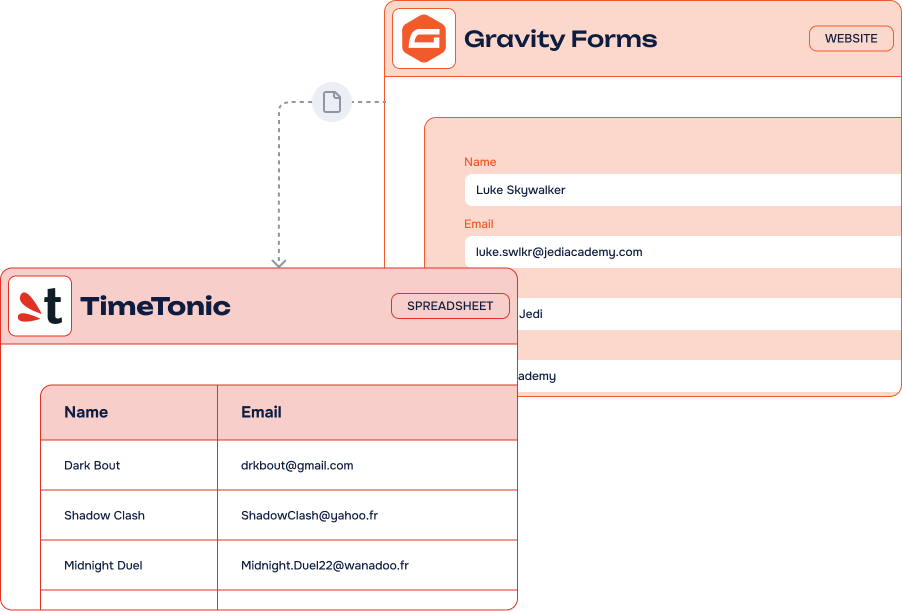
The Gravity Forms to TimeTonic Add-On links your form fields to the tables and columns of your TimeTonic databases. Every validated submission lands in the right column, with conditions if you need them. No Zapier, no code, all from your WordPress admin.
14-day Money Back Guarantee
Key features
-
Unlimited
feedsCreate as many feeds as you want and customize the options of each form
-
Easy fields mapping
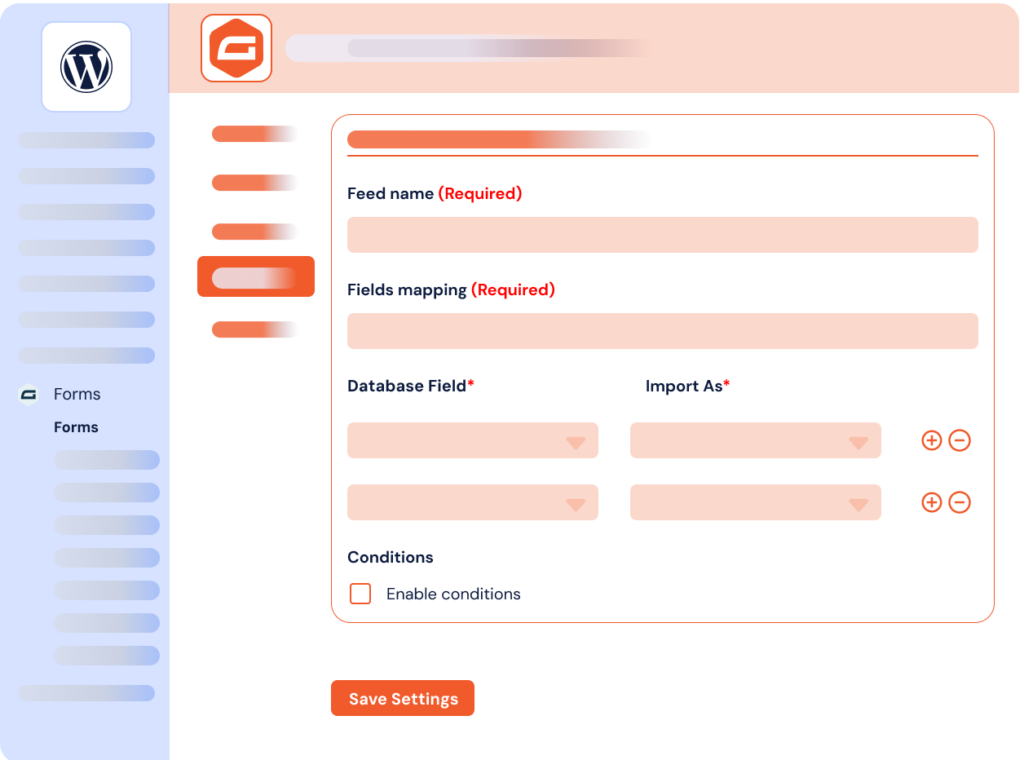
Match every Gravity Forms field with its TimeTonic column in a few clicks
-
All data types mapped
Select each Gravity Forms field you wish to connect; entries are sent to TimeTonic as they are
-
Conditions, actions & filters
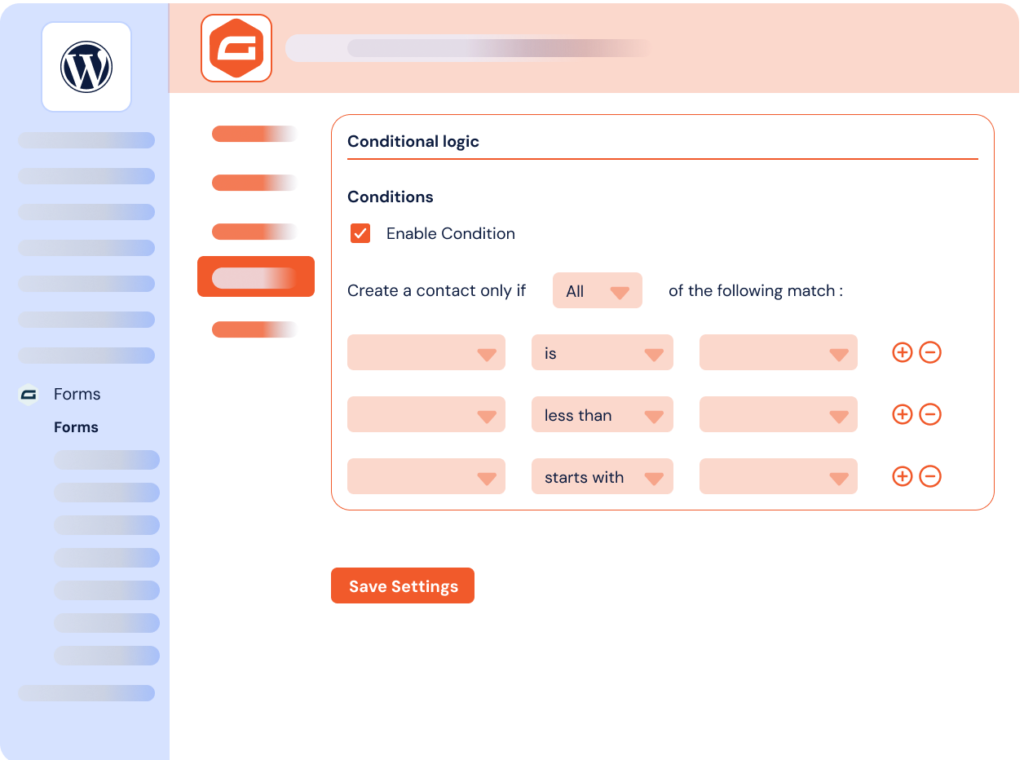
Simple — or advanced — conditions decide which entries reach your database
-
Instant record creation
The information is added to the selected columns as soon as the form is validated
-
Choose books & tables
Set up every feed with the destination table you want
-
No third-party platform
A direct TimeTonic API connection, without Zapier, n8n or Make in the middle
-
Works with every form
WordPress, WooCommerce or third-party forms built with Gravity Forms
It’s easy to connect Gravity Forms and TimeTonic using our Add-On

What can you do with the Gravity Forms to TimeTonic Add-On?
TimeTonic is a no-code collaborative database and project management platform: businesses use it for CRM, project tracking, field operations and digital transformation. Connecting it to your WordPress forms opens up a lot of workflow automation.
-
CRM automation
Send contact form data straight into your TimeTonic CRM and create prospect records ready for follow-up.
-
Project tracking
Capture project requests through a form and track requirements, deadlines and deliverables in TimeTonic.
-
Field operations
Collect reports from the field through WordPress forms and centralize them in your TimeTonic tables.
-
Event registrations
Organize signups in a TimeTonic table and manage attendees and logistics collaboratively.
-
Data centralization
Turn submissions from several forms into structured records inside one collaborative database.
Gravity Forms TimeTonic Add-On: incredible features, fair pricing
Most popular
Pro plan
1 site
$200.00 /year
All Features you need
- Included: Unlimited feeds on unlimited forms
- Included: Full fields mapping with TimeTonic columns
- Included: One or several books and tables per feed
- Included: All Gravity Forms field types supported
- Included: Conditional filters & actions
- Included: One year of updates & priority support
-
Contact us
You need a special plan, integration services or custom development? We are here for you!
-
Guarantee
14-Day Money Back Guarantee
-
Switch your plan
Change your plan at anytime
Frequently asked questions
Find answers to the most common questions about the Gravity Forms to TimeTonic Add-On — from setup and field mapping to licensing and support.
What is TimeTonic?
TimeTonic is a No Code collaborative database and project management platform. It allows businesses to create custom applications, manage data, automate workflows, and collaborate in real time without coding. It is often used for CRM, project tracking, field operations, and digital transformation.
How to install your products?
You can install our WordPress plugins and add-ons by uploading them to your site. To do this, follow these steps:
- Download the plugin file to your computer after purchase it on wpconnect.co.
- Log in to your WordPress dashboard.
- On the left-hand side menu, click on “Plugins” and then “Add New”
- Click the “Upload Plugin” button at the top of the page.
- Click the “Choose File” button and select the plugin file you downloaded in Step 1.
- Click the “Install Now” button.
- Wait for the plugin to be installed, and then click the “Activate” button.
It’s important to note that our plugins and add-ons require additional steps to be fully configured and integrated into your site. Please follow the installations steps described below on the FAQ and our tutorials.
How to configure your Gravity Forms Add-Ons ?
To configure our Gravity Forms add-ons, you will need to follow these specific instructions :
- Install and activate the add-on (follow the instructions on “How to install our plugins”)
- Go to the Gravity Forms settings page (under Forms > Settings > SendGrid/Sendinblue/Airtable/Notion)
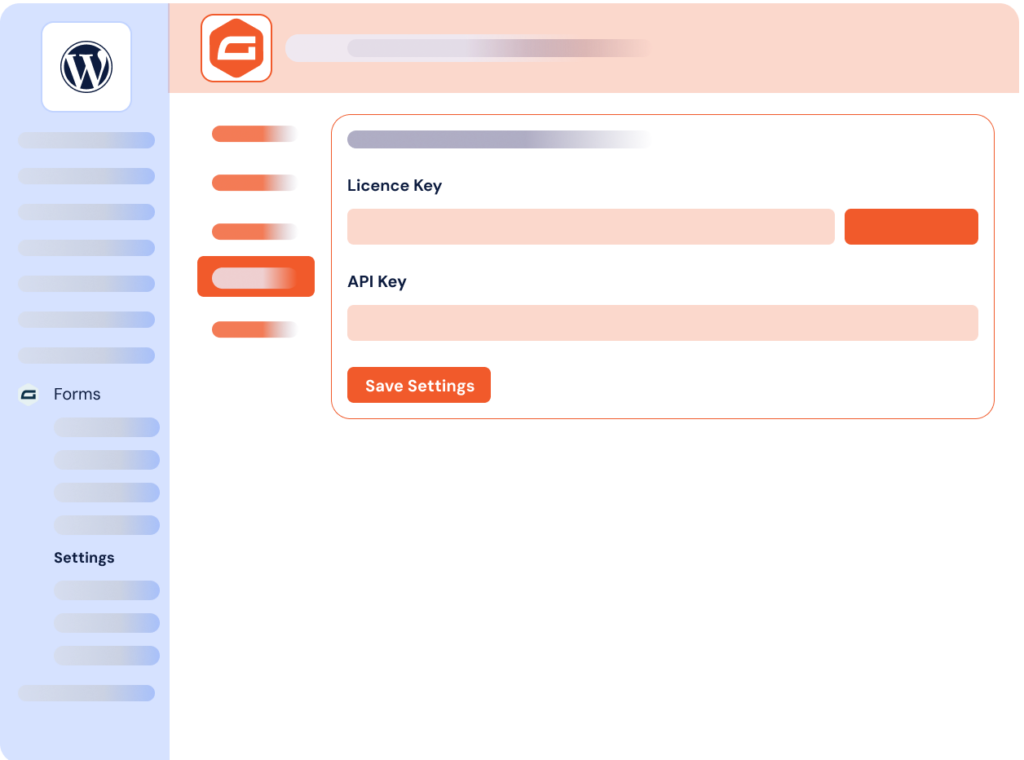
- Enter the information requested by the plugin : license and tool’s API key
- Click Save Settings
- Create your form and then go to Settings > SendGrid/Sendinblue/Airtable/Notion
- Follow on-screen instructions for integrating with tools
How do I connect my tools to your Add-Ons?
With all our forms builders add-ons, you will be able to connect Airtable, Notion, SendGrid and Brevo (Sendinblue) in your WordPress admin panel thanks to the API keys and without using any external tools like Make or Zapier. Simple and easy. To see how to do that, see all our tutorials.
If you can’t see them or if you add an element during the process, wait for a bit. For performance reasons, your basic setup is cached for one minute.
Gravity Forms to TimeTonic Add-On connects the popular WordPress form builder Gravity Forms to TimeTonic, the no-code database tool. With this add-on you link your form fields to the tables and columns of your TimeTonic databases: the information entered is added to the selected columns as soon as the form is validated.
TimeTonic is a no-code collaborative database and project management platform. It allows businesses to create custom applications, manage data, automate workflows and collaborate in real time without coding. It is often used for CRM, project tracking, field operations and digital transformation.
The Add-On lets you add and manage multiple feeds: create as many as you want and customize the options for each form. For every feed you choose the destination book and table, then map all types of data, select each Gravity Forms field you wish to connect and the entries are sent directly to TimeTonic. Conditions, actions and filters let you decide which entries are added to your database, with simple or advanced rules.
Setup happens entirely in your WordPress dashboard: enter your license and your TimeTonic personal access token under Forms > Settings > TimeTonic, create your feed, map the fields and activate conditional logic if you need it. Discover our other Gravity Forms integrations to connect your forms to the rest of your stack.