You gave us 4.86 on wp.org
Send WPForms entries to Airtable.
Mapped, filtered, automatic.
- Version 2.2.1
- Since 2022
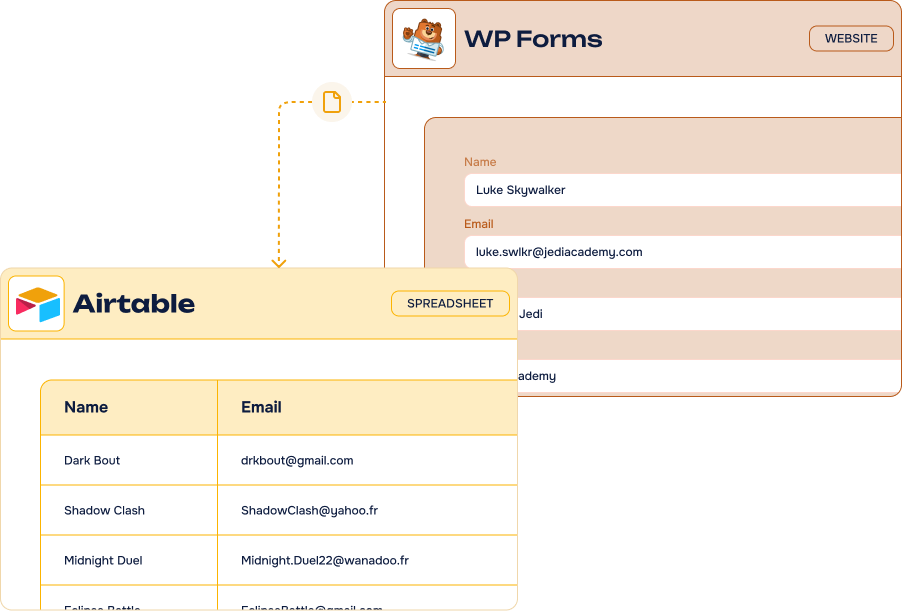
The WPForms to Airtable Add-On turns every form submission into an organized record in your Airtable base — fields mapped one to one, conditional logic, no Zapier. All from your WordPress admin.
14-day Money Back Guarantee
Hear what they have to say
Rated 5 out of 5
Not only the plugin works great but the help of the WP connect team is fantastic, I can't recommend enough working with them.
Key features
-
Unlimited
feedsCreate as many Airtable feeds as you need, on as many WPForms forms as you like
-
Easy fields mapping
Match every WPForms field with its Airtable column in a few clicks
-
Advanced Airtable fields
Single line text, email, phone, dropdown, checkboxes, numbers, date/time, URL and much more
-
Conditional filters & actions
Only send the entries that match your criteria to your Airtable base
-
Records created instantly
Your Airtable base is updated the moment the form is submitted
-
Several bases & tables
Send each form or each feed to the base and table that matter
-
No third-party platform
A direct Airtable API connection, without Zapier or Make in the middle
-
Basic, Plus and Pro
Compatible with the Basic, Plus and Pro versions of WPForms
It’s easy to connect WPForms and Airtable using our Add-On

What can you do with the WPForms to Airtable Add-On?
Our direct Airtable integration for WPForms delivers powerful data management capabilities for businesses of all sizes. Through a seamless WordPress API integration, your web forms become smart data collection systems that work around the clock.
-
Lead management
Automatically collect prospects from WPForms and marketing campaigns. Use Airtable to organize leads by source and priority to accelerate sales.
-
Event registration
Collect webinar and event sign-ups through WPForms and automatically sync attendee data to Airtable. Manage participant information without manual data entry.
-
Support requests
Route customer inquiries from WPForms directly into Airtable workflows. Categorize support tickets and assign them to team members automatically.
-
Form submissions
Gather customer feedback and survey responses through WPForms. Analyze form data using Airtable’s powerful filtering and reporting capabilities.
-
Contact management
Automatically sync WPForms entries to create records in your Airtable CRM. Update and manage your contact database efficiently from your WordPress form data.
WPForms to Airtable: powerful integration, fair pricing
Most popular
Pro plan
$50.00 /year
$150.00 /year
$200.00 /year
All Features you need
- Included: Unlimited feeds on unlimited forms
- Included: Full fields mapping with Airtable columns
- Included: Advanced Airtable fields support
- Included: Conditional filters & actions
- Included: Compatible with the Basic, Plus and Pro versions of WPForms
- Included: One year of updates & priority support
-
Contact us
You need a special plan, integration services or custom development? We are here for you!
-
Guarantee
14-Day Money Back Guarantee
-
Switch your plan
Change your plan at anytime
Frequently asked questions
Find answers to the most common questions about the WPForms to Airtable Add-On — from setup and field mapping to licensing and support.
What is Airtable?
Offered in SaaS mode, Airtable is a database tool designed to create a simple online form and a project management environment or even a custom CRM. Equipped with an automatic translation function, Airtable manages multiple views: maps, calendars, Kanban boards, Gantt charts, etc. It’s an excellent platform for data integration and automating advanced workflows.
Which version of WPForms do I need ?
Our WPForms Add-On is compatible with the Basic, Plus, and Pro versions of WPForms.
What are the benefits of integrating WPForms with Airtable?
Integrating WPForms with Airtable offers multiple business advantages. This integration eliminates manual data entry and streamlines your company workflow. Form submissions automatically create new records or update existing information in your Airtable database. This saves hours of administrative work.
You gain instant access to organized WordPress form data for better business decisions. The integration works with free Airtable accounts and requires no technical skills. Use cases include:
- Enhanced lead management and conversion rate optimization
- Improved cross-channel marketing campaign management through automation
- Better support request handling with automated workflows
- Optimized data flow for strategic business decisions
- And much more.
How do I connect WPForms to Airtable?
The best way to connect WPForms to Airtable easily is using the no-code WPForms to Airtable Add-On. Setup takes just a few simple steps and requires no technical or programming skills.
To use our WPForms Add-On with Airtable, follow these simple steps:
- Create a form with at least an email field (don’t forget the consent field)
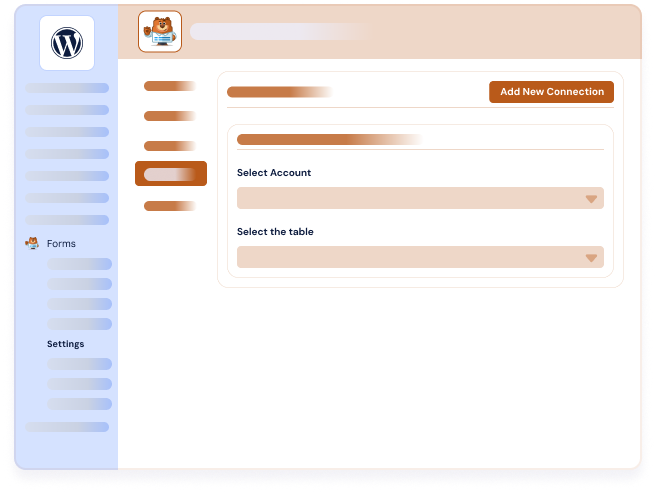
- Go to the Airtable section (in Airtable feeds tab) and click the “Add new” button to create a new feed
- Choose the Airtable table where the data should be added
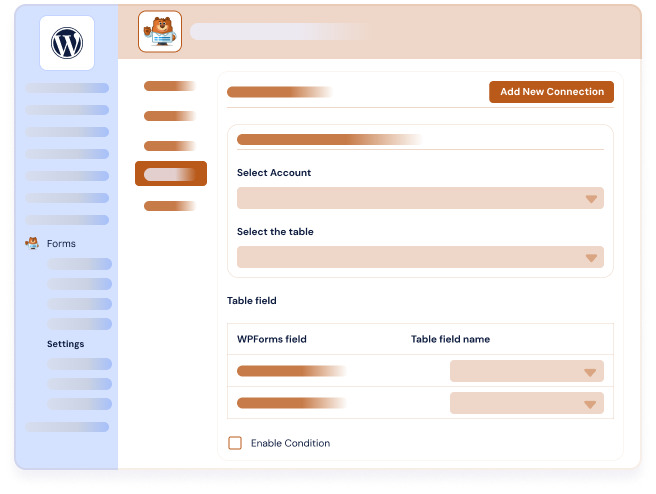
- Map your WPForms fields with your Airtable table properties. Set the exact names of your table columns
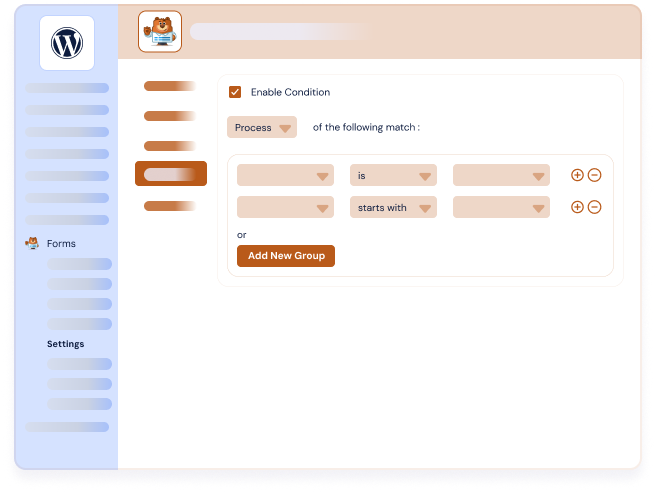
- Activate conditional logic if needed
- Click “Save settings.”
Feel free to check our WPForms to Airtable documentation for a detailed guide that walks you through the configuration step-by-step. If you encounter any difficulties, don’t hesitate to contact our support team.
Which fields does WPForms Airtable integration support?
Our WPForms Airtable Add-On supports all major field types to ensure seamless data transfer from your WPForms. Supported fields include Single Line Text, Email, Phone, Dropdown, Checkboxes, Multiple Choice, Numbers, Date/Time, URL field and much more.
We provide detailed WPForms to Airtable documentation with a comprehensive table of supported fields and possible mappings. This field mapping ensures that your form data transfers accurately to your Airtable databases. Whether you’re collecting contact information, survey responses, or complex form submissions, our integration handles the data transfer reliably.
Setup is simple and intuitive. Connect your form fields to Airtable database columns with just a few clicks through our user-friendly interface.
Do I need coding skills to use your WPForms Airtable integration?
No, you don’t need any coding skills to use our WPForms integration for Airtable. We offer a 100% no-code integration with intuitive interfaces accessible directly from the WordPress admin panel.
Everything is configured in a few clicks without any technical knowledge required. You also benefit from filter options and conditional logic to optimize your data flows.
WPForms to Airtable Add-On connects the most popular WordPress form builder to Airtable, so every submission becomes an organized record instead of an email you have to copy by hand.
Airtable is a cloud database that combines the familiarity of a spreadsheet with the power of a relational database: grid, calendar, kanban and gallery views, linked records, attachments and automations. It is where a lot of teams already run their CRM, their editorial calendar or their recruitment pipeline.
With our WPForms integrations you create or update Airtable records from your WordPress form entries automatically. Map each form field to its column, filter what gets sent with conditional logic, and send each form to the base and table that matter.
It is a no-code solution that works entirely inside your WordPress admin. No technical skills required, and no third-party automation platform like Zapier or Make adding complexity and monthly costs.