
How to Import Downloadable Products with Air WP Sync for WooCommerce?
If you’re importing Simple Products successfully but notice that your Downloadable Products are not being created in WooCommerce, this article explains why—and how to fix it.
Why is this happening?
“Downloadable Products in WooCommerce are technically Simple Products with an additional setting enabled.”
In other words, WooCommerce does not treat them as a separate product type. Instead, a Downloadable Product is just a Simple Product with the Downloadable option checked.
If this option is missing or not configured correctly in Airtable or your Air WP Sync settings, the product will be imported as a regular Simple Product without download functionality.
How to fix it?
1. Check your Air WP Sync for WooCommerce connection settings
Make sure that your connection is configured to support downloadable products.
- Go to your Air WP Sync for WooCommerce connection settings.
- Under the “Which type of product do you sell?” section, ensure that “Downloadable Product” is selected.
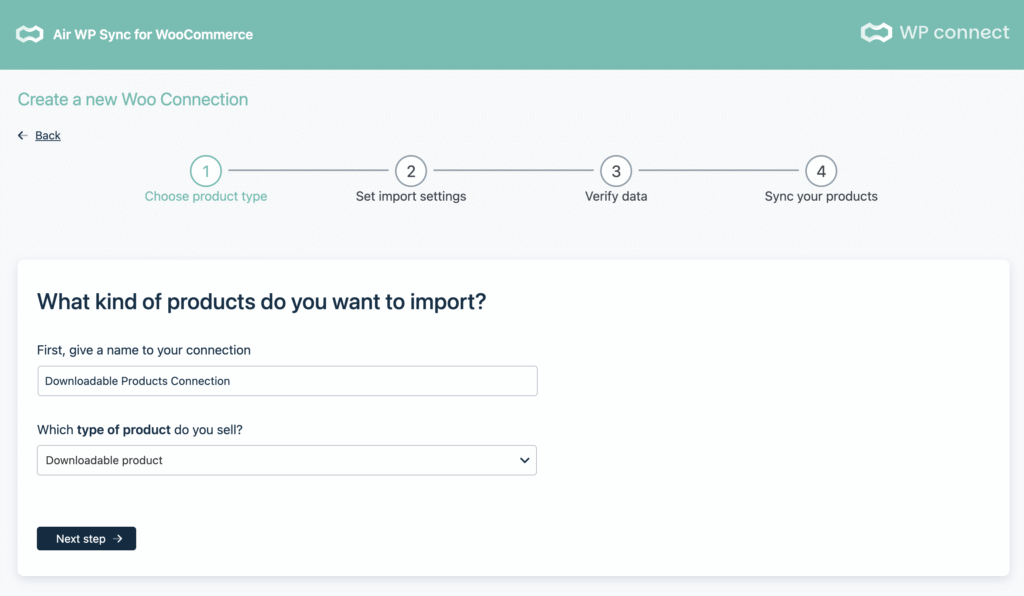
2. Set up your Airtable base correctly
In your Airtable base, for each product you want to import as downloadable:
- Product Type should be set to simple
- Downloadable (a checkbox field) must be checked
If this checkbox is not checked, the product will be treated as a regular Simple Product without download files.
💡 There is no need to create a new Product Type called “downloadable.”
WooCommerce determines whether a product is downloadable based on this checkbox, not the product type.

Then, finish the sync using a standard product import connection.
If you’re still experiencing issues after applying these settings, contact our support team and share your Airtable setup and connection configuration.